

So, you're looking to spice up your beat-making game? You've probably heard about AI plugins and are wondering if they're just hype or actually useful. Well, let me tell you, these AI plugins are pretty game-changing. They can help you whip up melodies, drum patterns, and even mix and master your tracks faster than you thought possible. Think of them as your new studio buddies, ready to lend a hand (or an algorithm) whenever you're stuck or just want to try something new. Let's check out some of the top AI plugins that can seriously level up your production.
Key Takeaways
- AI plugins can speed up your workflow by automating tasks like pattern generation and mixing.
- Tools like Orb Producer Suite and Playbeat help create unique MIDI patterns for melodies and drums.
- Sample browsers such as Atlas 2 organize your sounds, making it easier to find the right textures.
- Plugins like Izotope Neutron 4 and Ozone 10 offer AI-assisted mixing and mastering to get professional results.
- AI tools are great for overcoming creative blocks and discovering new sonic ideas you might not have thought of yourself.
1. Orb Producer Suite
Feeling that familiar blank screen stare? Yeah, we've all been there. Orb Producer Suite is like having a super-smart, slightly quirky bandmate who’s always ready with a killer idea. This isn't just some button-pushing magic box; it's a set of AI-powered plugins that help you cook up MIDI patterns for chords, melodies, basslines, and arpeggios. You tell it the vibe – complexity, density, swing – and bam, you get unique patterns that actually sound human, not like a robot trying to learn music theory.
The coolest part? You get to tweak everything. Orb spits out editable MIDI, so you can nudge that snare, move that kick, or change a whole chord progression. It fits right into your DAW, so you can still use your favorite synths and drum kits. It’s like the AI gives you a fantastic starting point, and then you get to sprinkle your own magic dust on it.
Here’s a quick look at what this suite brings:
- Orb Chords: Generates harmonic progressions that don't sound like they came from a textbook.
- Orb Melody: Creates catchy melodic lines that actually fit.
- Orb Bass: Lays down groovy basslines that lock in with your rhythm.
- Orb Arpeggio: Adds those intricate, fast-moving patterns that can really make a track pop.
You're still in the driver's seat with Orb Producer Suite. The AI suggests, you decide. It’s a fantastic way to bust through writer's block or just add some unexpected flair to your existing tracks without losing your own creative voice. It’s a game-changer for sketching out arrangements super fast.
2. Playbeat
Ever feel like your beats are stuck in a rut, sounding like they were all made by the same robot with a serious case of déjà vu? Yeah, me too. That's where Playbeat by Audiomodern swoops in, like a caffeinated muse for your drum patterns. This isn't just some random beat generator; it's like having a super-smart buddy who actually gets your style and starts cooking up grooves that feel right at home in your track.
It's basically an AI drum sequencer that takes your samples and turns them into fresh, interesting patterns. You can feed it your favorite kicks, snares, and hi-hats, and it’ll start spitting out rhythms that are surprisingly musical. And don't worry, it's not just spitting out noise. You get to tweak pretty much everything – velocity, panning, decay, even the shuffle – so you're always in control. Plus, if you want to take those patterns into your DAW and really mess with them, you can just export them as MIDI. Easy peasy.
Here’s the lowdown on why Playbeat is a beatmaker's best friend:
- AI-Powered Pattern Generation: Load your samples, and let the AI cook up some unique drum patterns based on your sounds.
- Deep Customization: Tweak every little detail of the generated patterns to make them your own.
- MIDI Export: Seamlessly drag and drop your new patterns into your DAW for further editing.
- Randomization Options: Three different algorithms give you endless variations on a theme, so you're never bored.
Sometimes, the best way to break out of a creative block is to let a little AI magic happen. Playbeat doesn't just give you beats; it gives you ideas that you can then mold into something uniquely yours. It’s like a shortcut to that moment when you stumble upon a rhythm you never would have thought of yourself.
Seriously, if you're looking to inject some new life into your drum programming without spending hours programming every single hit, give Playbeat a whirl. It’s quick to learn, fun to use, and might just be the spark your next banger needs.
3. Atlas 2
Okay, let's talk about sample hunting. We've all been there, right? Staring at your screen, scrolling through folders that look like they were organized by a squirrel on caffeine, desperately trying to find that one perfect kick drum. It's enough to make you want to just use the same stock sounds forever. But fear not, because Algonaut's Atlas 2 is here to save your sanity and your beats!
Think of Atlas 2 as your personal AI sample librarian. It takes your entire sample collection – and I mean everything – and throws it onto this wild, interactive visual map. It intelligently groups similar sounds together, so instead of digging, you're exploring. You can zoom in on clusters of kicks, snares, or weird percussive bits, and instantly see what fits your vibe. It’s like having a cosmic map of your drum sounds.
Here’s the lowdown on why this thing is so cool:
- AI-Powered Sample Mapping: Atlas 2 analyzes your sounds and lays them out visually. No more guessing games based on filenames!
- Built-in Drum Kit & Sequencer: You can actually build custom kits right inside Atlas 2 and even program basic patterns. It’s a whole beat-making station in a plugin.
- Deep Editing: Tweak pitch, decay, and add effects to sculpt your sounds without leaving the plugin. It’s surprisingly powerful.
- Drag-and-Drop Simplicity: Need that perfect snare in your DAW? Just drag it over. Easy peasy.
Honestly, the sheer speed at which you can find and audition sounds is a game-changer. It turns a tedious task into something actually fun and inspiring. You'll probably discover samples you forgot you even had!
Atlas 2 is available in VST, VST3, AAX, and AU formats, so it should play nice with pretty much any DAW you're using.
4. Magenta Studio
Alright, let's talk about Magenta Studio. Ever feel like your MIDI patterns are a bit… predictable? Like they’re stuck in a rut and need a serious shake-up? Well, Google’s got your back with this collection of five AI-powered tools. Think of it as your personal MIDI mad scientist lab, ready to twist and turn your musical ideas into something totally fresh.
Makes sense, right? You’ve got your basic melody, and then BAM! Magenta Studio throws a bunch of variations at you. It’s like having a bandmate who’s constantly coming up with new riffs, but without the annoying habit of hogging the snacks.
Here’s a quick rundown of what these little helpers can do:
- Continue: Takes your existing MIDI and just… keeps going. It’s great for extending phrases or just seeing where a musical thought might lead.
- Generate 4 Bars: Similar to Continue, but it specifically aims to give you four bars of new material based on what you’ve already got. Handy for building out sections.
- Drumify: This one’s a bit wild. You feed it a melody, and it tries to turn it into a drum pattern. Seriously. It’s a fun way to get unexpected rhythmic ideas.
- Interpolate: Imagine blending two different MIDI patterns together. This tool does just that, creating a smooth transition or a hybrid idea between two points.
- Groove: If your MIDI feels too robotic, Groove is your friend. It adds human-like timing and velocity variations, making those programmed beats feel way more alive.
The best part? Magenta Studio is available as plugins for Ableton Live, so you can integrate these AI tricks right into your workflow without a fuss. It’s a fantastic way to break through creative blocks and inject some unexpected magic into your tracks. Give it a whirl; you might be surprised at the weird and wonderful places it takes your music.
5. Synplant
Alright, let's talk about Synplant. If you're tired of digging through endless presets or spending hours tweaking knobs to get that perfect synth sound, you're gonna want to pay attention. Synplant uses something called "Genopatch" technology, which is basically a fancy way of saying it uses AI to cook up synth patches from audio samples.
So, how does this magic work? You just grab an audio file – could be anything, a vocal snippet, a weird noise, whatever – and drop it into Synplant. In mere seconds, it spits out a bunch of synthesized variations. It's like having a mad scientist in your computer who can turn a dog bark into a killer bassline.
But it doesn't stop there. Synplant also gives you this wild "DNA Editor" where you can really get in there and sculpt the sound. It’s a pretty unique way to get sounds you probably wouldn't have dreamed up otherwise. This plugin is a game-changer for anyone looking to quickly generate unique synth textures and sounds. It’s a fantastic tool for exploring new sonic territory and creating unique instruments that stand out. You can really get lost in the possibilities, and honestly, that's half the fun.
6. Spark Chords
Alright, let's talk about Spark Chords, because if you've ever stared at a blank MIDI grid feeling like your brain just went on vacation, this is your new best friend. Spark Chords is this super cool AI-powered chord trigger that basically does the heavy lifting for you. You know those moments when you need a killer chord progression but your fingers just won't cooperate or your music theory knowledge is, well, a bit rusty? Spark Chords is here to save the day.
One of the wildest features is that you can literally type in what you want. Yep, you read that right. Type in a phrase, a mood, or even just a few keywords, and this thing whips up some seriously interesting chord progressions. It's like having a tiny, super-smart music theory wizard living inside your computer. And the best part? You can then play these complex progressions using just a single key on your MIDI keyboard. No more fumbling around trying to hit multiple notes at once. It’s perfect for when you want to lay down some harmonic foundation super fast.
Here’s the lowdown on why you might want this little gem:
- Text-to-Chord Magic: Just type what you're feeling, and get chords back. Seriously, it's that simple.
- Single-Key Playback: Play intricate progressions with just one finger. Your other fingers are free for… well, whatever you want!
- Inspiration Machine: It’s brilliant for breaking through creative blocks. You might discover progressions you’d never have thought of yourself.
- MIDI Export: Once you’ve got something you like, you can easily export it as MIDI to tweak further in your DAW.
Spark Chords takes the guesswork out of harmony. It’s designed to get you moving forward, whether you're a seasoned pro looking for new ideas or a total beginner who just wants to make some noise. It’s all about making the process fun and less intimidating.
So, if you're tired of the same old chord loops or just want to speed up your workflow, give Spark Chords a whirl. It’s a fun way to add some serious harmonic flavor to your tracks without needing a degree in music composition.
7. Emergent Drums 2
Alright, let's talk about making some noise with Emergent Drums 2. If you're tired of the same old snare sound popping up in every track, this is your new best friend. Emergent Drums 2 is like a mad scientist in a lab coat, cooking up drum samples that are totally unique. You don't get recycled loops here; you get brand-new sonic ingredients crafted from scratch. It's perfect for when you just want to mess around and stumble upon something that makes you go, "Whoa, what was that?"
This plugin uses some pretty cool AI to generate drum hits. You can tweak settings, randomize things, and basically let the AI surprise you. It’s all about getting those one-of-a-kind sounds that make your beats stand out. Sometimes the results are a little wild, but that's part of the fun, right? It won't spit out a full beat for you, but it gives you the building blocks – the really interesting ones – to get creative.
Here's the lowdown on what you get:
- Truly Original Samples: No more relying on dusty sample packs. Every hit is fresh.
- Endless Variations: Tweak a slider and get a whole new take on a sound.
- DAW Friendly: Works as a VST or AU plugin, so it plays nice with your setup.
If your tracks are starting to sound a bit too much like everyone else's, give Emergent Drums 2 a spin. You might just discover your next signature sound in the most unexpected place.
8. Drumnet
Tired of digging through endless sample packs for that perfect kick or snare? DrumNet is here to save your sanity and your hard drive space. This AI-powered plugin is like having a mad scientist in your computer, constantly cooking up fresh, unique drum sounds on demand. Forget those stale, overused samples; DrumNet uses something called Deep Resampling technology to create entirely new variations from scratch. It’s pretty wild.
Think of it this way: you feed it a basic idea, or even your own samples, and it spits out an infinite stream of possibilities. You can import your own sounds and let DrumNet go wild, creating endless variations that keep your beats sounding original. Plus, it’s got a built-in 32-step sequencer to help you lay down rhythms with all the swing and velocity tweaks you need to make them sound human. It’s a fantastic way to keep your grooves from getting stale and inject some serious personality into your percussion.
DrumNet doesn't just tweak existing sounds; it invents new ones. This means you're always getting something fresh, pushing your creative boundaries without you having to spend hours searching.
Here’s the lowdown on what makes DrumNet a beatmaker's new best friend:
- Infinite Sample Generation: AI creates brand-new drum sounds, so you’re never stuck with the same old thing.
- Deep Resampling: Takes your input and generates unique variations you wouldn't have thought of.
- Customizable Import: Bring your own samples into the mix for personalized, original kits.
- Built-in Sequencer: Craft your rhythms with controls for velocity, swing, and more.
Seriously, if you want to break free from the sonic herd and make beats that truly stand out, give DrumNet a whirl. It’s a game-changer for keeping your drum programming exciting and original. You might even discover some sounds that totally surprise you, which is half the fun, right? Check out how it can transform your drum sounds.
9. Wavtool
Alright, let's talk about Wavtool. This isn't your typical plugin; it's actually a web-based DAW, which is pretty wild. Think of it as your AI music-making buddy, accessible right from your browser. It's designed to speed things up, which is exactly what we beatmakers need when inspiration strikes (or when it doesn't!).
Wavtool comes packed with some seriously cool AI features. First up, there's 'Conductor,' which is basically a multi-modal music chatbot. You can ask it questions, have it whip up audio and MIDI, and even transcribe stuff for you. Pretty neat, right? Then you've got 'Composer,' your secret weapon against writer's block. It offers live MIDI autocomplete, giving you contextual suggestions as you play. It's like having a co-writer who's always on the same wavelength.
Here's a quick rundown of what makes Wavtool stand out:
- Web-Based Accessibility: No downloads, no installs, just jump in and start creating.
- AI Chatbot (Conductor): Get answers, generate ideas, and transcribe audio with simple text commands.
- Live MIDI Autocomplete (Composer): Beat writer's block with intelligent suggestions that adapt to your playing.
- Speedy Workflow: Designed to cut down production time and keep your creative flow going.
Honestly, the idea of a DAW that lives in your browser and has an AI assistant ready to go is pretty futuristic. It's a great way to get ideas down fast without getting bogged down in complex software.
If you're looking for a fresh way to spark creativity and streamline your production process, you've gotta check out Wavtool. It's a game-changer for those moments when you just need to get something down now.
10. Text to Sample
Alright, let's talk about turning your wildest ideas into actual sounds. You know those moments when you have a word, a phrase, or even just a feeling, and you think, 'Man, I wish that sounded like this'? Well, Text to Sample is here to make that happen, and it's pretty darn cool.
This free VST plugin is like a magic wand for your audio. You type in what you want, and boom – it generates a sample. No internet needed, it all happens right there on your computer. The quality you get is genuinely surprising, especially considering it's free. But wait, there's more! You can also feed it existing audio, and then use your text prompts to twist and shape it into something totally new. It’s like having a sound sculptor at your fingertips.
Here’s a quick rundown of what makes it neat:
- Text-to-Sound Generation: Type a word or phrase, get a unique sound.
- Audio Transformation: Upload your own audio and manipulate it with text.
- Offline Processing: All the magic happens locally, no cloud needed.
- Free VST: Yep, you read that right. It costs you nothing.
Honestly, the first time I tried it, I typed in "grumpy robot sneeze" and it actually came up with something that sounded exactly like that. It’s not always perfect, but the sheer novelty and the potential for unexpected sonic treasures is huge. It’s a fantastic tool for breaking out of a creative rut or just adding some really unique textures to your beats.
11. Melody Sauce 2
Feeling that creative spark fizzle out? Happens to the best of us. When your brain feels like a dried-up sponge and you're just staring at a blank MIDI grid, Melody Sauce 2 is here to throw you a lifeline. This thing is basically an AI-powered melody generator that’s been trained on a ridiculous amount of tunes, so it knows its stuff.
Think of it as your personal, tireless melody writing assistant. You give it some basic parameters – like genre, mood, or even just a general vibe – and it spits out fresh, original melodic ideas faster than you can say 'writer's block is cancelled.' It’s got over 300 style settings, covering everything from hip-hop and trap to EDM, house, techno, pop, and R&B. So, whatever you’re cooking up, there’s probably a style setting for it.
What’s cool is that you’re not just stuck with whatever the AI comes up with. You can tweak the density, complexity, and swing of the generated patterns. Plus, once you’ve got a pattern you dig, you can either use one of its 100 built-in instruments or, my favorite part, drag that MIDI straight into your DAW. This means you can then run it through your own synths, add your own effects, and really make it your own. It’s a fantastic way to get over that initial hurdle and spark new ideas for your tracks.
12. Scyclone
Alright, let's talk about Scyclone. This thing is pretty wild. Imagine taking any sound you have – seriously, any sound – and twisting it into something completely different. That's Scyclone in a nutshell. It uses this fancy 'neural timbre transfer' tech to totally re-imagine your audio.
It's especially cool for drums. Scyclone comes with two main models, 'Djembe' and 'Funk Drums'. You can mess around with these algorithms, maybe dial in a bit of each, and suddenly your basic drum loops get this awesome character and thickness. It’s like giving your beats a secret sauce that makes them pop.
It's a fantastic tool for adding unique textures and making your drum patterns sound less generic.
Here's a quick rundown of what makes it neat:
- Neural Timbre Transfer: The core tech that lets you morph sounds.
- Drum Models: Djembe and Funk Drums offer distinct flavors.
- Sound Shaping: Great for adding character and weight to your beats.
You can take a simple clap and make it sound like a weird, metallic hit, or turn a basic kick into something with a totally unexpected tonal quality. It’s all about experimentation and finding those happy accidents that make your music stand out.
13. Adaptiverb
Alright, let's talk about Adaptiverb. This isn't just another reverb plugin; it's like a whole new dimension for your sound. Imagine a reverb that actually listens to what you're throwing at it and then intelligently shapes itself. That's Adaptiverb. It uses some pretty fancy tech like ray tracing and AI to figure out what's going on in your audio and then adds this incredible depth and richness without making your mix sound muddy.
Seriously, if you're trying to create those massive, evolving soundscapes, lush ambient pads, or even just want to give your synths a bit more space to breathe, this is your guy. It's got this way of making reverb tails sound super smooth and harmonic, which is a big deal when you don't want your track to sound like it's drowning in echo.
Here's a quick rundown of what makes it tick:
- AI-Powered Adaptation: It dynamically adjusts to your input, so you're not just setting and forgetting.
- Harmonic Richness: Adds pleasing overtones to your reverb, making it sound fuller.
- Smooth Tails: No more abrupt cutoffs; just a natural fade-out.
- Depth and Space: Creates a sense of atmosphere without cluttering the mix.
The coolest part? It feels like it's thinking with you. You feed it a sound, and it gives you back something even better, adding that organic feel that's so hard to get with traditional reverbs. It’s a bit of a CPU hog sometimes, especially when you're going wild with it, but honestly, the results are so worth it. You'll be making ambient masterpieces in no time.
14. Neoverb
Alright, let's talk about reverb. You know, that magical sauce that makes everything sound like it's in a real space? Well, iZotope’s Neoverb is here to make your life way easier, and honestly, a lot more fun. Forget spending hours tweaking decay times and pre-delay. Neoverb uses AI to help you find the perfect reverb sound without all the headache.
This plugin is seriously smart. It’s got this Reverb Assistant that actually listens to your track and suggests settings. It’s like having a tiny, super-talented audio engineer living inside your computer. You just give it a few pointers, and boom – you’ve got a polished reverb that fits your mix. Plus, the Blend Pad is where things get really interesting. You can mix and match different reverb types, like Plates, Chambers, and Reflections, all in real-time. It’s a fantastic way to create unique spaces that nobody else has.
Here’s why you’ll dig it:
- AI Reverb Assistant: Takes the guesswork out of dialing in reverb. Just tell it what you need, and it delivers.
- Blend Pad: Mix different reverb characters to craft your own signature sound.
- Intelligent Unmasking: This is a big one. It helps clean up any frequency clashes between your reverb and the rest of your mix, so your reverb adds depth without making everything sound muddy. Seriously, this feature alone is worth checking out iZotope audio plug-ins.
Neoverb also has these neat EQ features built-in. You can clean up frequencies before they hit the reverb, and then shape the tail afterwards. It’s all about keeping your mix clear and controlled, even with lush, long reverbs. It’s a total game-changer for making your tracks sound professional without needing a degree in audio engineering.
15. Landr Mastering Plugin
Alright, let's talk about getting that final polish on your tracks without pulling your hair out. You know that feeling when your mix sounds pretty good, but it's just missing that oomph? That's where the Landr Mastering Plugin swoops in, like a superhero for your audio.
Forget sending your tracks off into the ether and waiting ages for them to come back. This bad boy brings Landr's AI mastering magic straight into your Digital Audio Workstation (DAW). It’s like having a mastering engineer on speed dial, but way cheaper and definitely less likely to judge your questionable snack choices during late-night sessions.
What's cool is that it doesn't just slap a generic preset on your song. The AI actually listens to your track and figures out what it needs. It's smart enough to tweak things like EQ, compression, and stereo width, all while keeping you in the driver's seat for final adjustments. You can even pick between different mastering styles like 'Warm', 'Balanced', or 'Open' to get the vibe just right.
Here's the lowdown on why you might want this in your toolkit:
- Instant Results: No more bouncing and uploading. Get mastering previews in real-time.
- AI-Powered Analysis: It adapts to your specific track, not just a generic template.
- Control: While the AI does the heavy lifting, you still get to tweak the important stuff.
- DAW Integration: Works right inside your favorite music software.
This plugin is a serious time-saver. It takes the guesswork out of mastering, making it accessible even if you're not a seasoned pro. It's perfect for getting demos ready to share or even for final releases when you need a quick, professional sound.
Sure, it might chew up a bit of CPU if you're running a bunch of stuff, but honestly, the time and frustration it saves? Totally worth it. It’s your secret weapon for making your tracks sound like they just stepped out of a pro studio.
16. Neural Q V2
Alright, let's talk about Tone Empire's Neural Q V2. This isn't just another EQ plugin; it's like having a vintage analog console whispering sweet EQ secrets into your DAW. They've trained this thing using AI on actual music samples, which means it sounds way more authentic than a lot of emulations out there. You get that warm, characterful analog vibe without needing a room full of gear.
What's cool is how it handles frequencies. You can really shape your highs and lows with a nice touch. Plus, there's a Pre-Amp Drive control that adds just the right amount of grit and saturation. And don't even get me started on the Autogain – it's a lifesaver for keeping levels consistent while you're tweaking.
Here's a quick rundown of what you get:
- Authentic Analog Emulation: AI-trained on real music for that genuine sound.
- Frequency Shaping: Easy controls for boosting highs and lows.
- Pre-Amp Drive: Add some tasty saturation and warmth.
- Autogain: Keeps your levels in check automatically.
- Presets Galore: Plenty of starting points to get you going fast.
Seriously, if you're chasing that classic analog EQ sound, you've gotta give Neural Q V2 a spin. It's surprisingly intuitive, and the results are just fantastic. It feels like you're working with a piece of hardware that's been around forever, but with the convenience of a plugin. You'll find yourself reaching for it when you need that extra bit of polish and character on your tracks.
17. CryoMix
Alright, let's talk about CryoMix. Ever feel like your mixes are just... missing that oomph? Like they're good, but not quite ready for prime time? CryoMix is here to throw you a lifeline, especially if you're dropping vocals or spitting bars. It's an online tool that uses AI to help you mix and master your tracks, and honestly, it's pretty slick.
Think of it as having a super-smart assistant who's been listening to tons of music. It's designed to be fast and give you high-quality results without making you pull your hair out. The "Magic Touch" feature is pretty cool for vocals – it just seems to know how to make them pop without sounding overdone. Plus, it gives you mixing recommendations based on what it's learned, which can be a real game-changer when you're stuck.
Here's the lowdown on how it generally works:
- Upload your track.
- Let the AI analyze it.
- Check out the mixing and mastering suggestions.
- Apply them and see the difference.
It's a fantastic way to get a professional polish on your tracks without needing a decade of engineering experience. It's not going to replace a seasoned pro, but for getting your beats sounding tight and ready to share, CryoMix is definitely worth a look. You might just surprise yourself with how good your stuff can sound.
18. Lalal.ai
Okay, let's talk about Lalal.ai. Ever heard a drum break in a song and just had to have it for your own track? Or maybe you're trying to grab just the vocals from a classic tune? Well, this is where Lalal.ai swoops in like a superhero for beatmakers. Forget spending hours trying to isolate sounds with clunky EQs or hunting down obscure acapellas. You just upload your audio file, and BAM! Lalal.ai uses its AI smarts to split the track into different stems – think vocals, drums, bass, piano, you name it.
It's seriously a game-changer for sampling and remixing. You get clean separations without all that annoying digital noise that usually creeps in. Plus, it's ridiculously easy to use. No complex menus or confusing settings. Just drag, drop, and download your stems. It’s like having a magic wand for audio.
Here’s the lowdown on why it’s so good:
- Super Clean Stem Separation: Get isolated vocals, drums, bass, and more with minimal artifacts. It’s way better than older methods.
- Crazy Easy to Use: Seriously, if you can drag and drop a file, you can use Lalal.ai. It’s that simple.
- Sampling Goldmine: Instantly grab that perfect guitar riff, vocal chop, or funky bassline to flip into your own beats.
If you're tired of wrestling with audio files and just want to get to the creative part, Lalal.ai is your new best friend. It saves you so much time and hassle, letting you focus on making your music sound awesome.
Honestly, for anyone digging through crates (digital or otherwise) for that perfect sound, Lalal.ai cuts down the search time dramatically. It’s a must-have in your production toolkit.
19. Moises.ai
Alright, let's talk about Moises.ai. Ever wished you could just grab the vocals or the drum beat from any track without a whole lot of fuss? Well, Moises.ai is your new best friend for that. It's the tool you pull out when you want to break down a song and get clean, isolated stems, no audio engineering degree required.
Its main superpower? You can split songs into vocals, drums, bass, and even other instruments. This means if you want to remix something, grab a killer drum fill for your beat, or just isolate that funky bassline, Moises.ai makes it super easy. It's like having a magic wand for audio.
Here’s the lowdown on how it works:
- Upload your track: Any song file will do – .wav, .mp3, you name it.
- Choose your stems: Decide if you want vocals, drums, bass, or all of the above.
- Hit go: Moises.ai does the heavy lifting while you watch the progress bar.
- Download and create: Grab those isolated tracks and drop them into your DAW, sampler, or wherever your creative heart desires.
If you're into flipping samples or just want to make existing tracks sound completely new, Moises.ai is a game-changer. It's fast, it's pretty accurate, and it makes sampling way less of a headache. You can even try out some of the AI-powered beat generation tools over at BeatsToRapOn if you're looking for more inspiration.
Moises.ai is all about opening up more creative possibilities without bogging you down with complicated steps. It’s almost like cheating, but in a good way.
20. Izotope Neutron 4
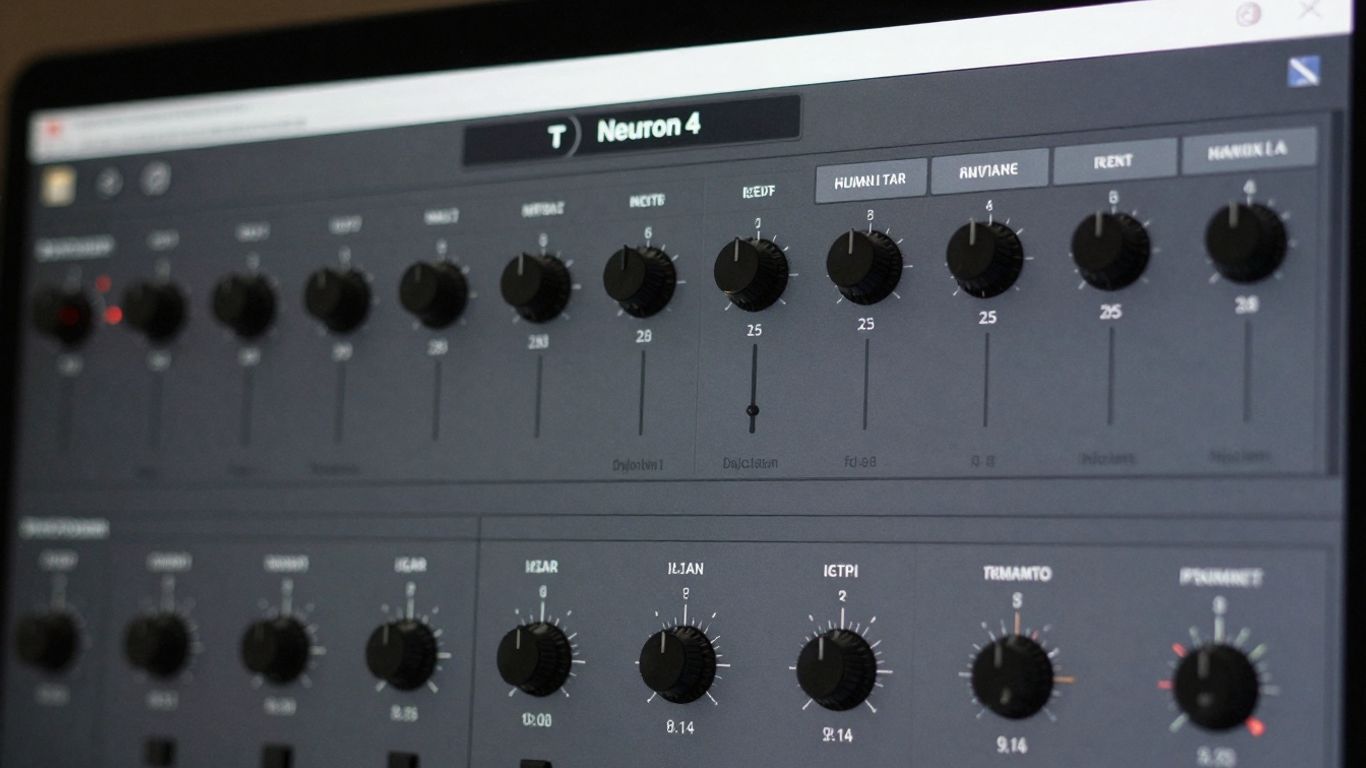
Alright, let's talk about Izotope Neutron 4. If you're looking to make your mixes sound like they were polished by a pro without needing a degree in audio engineering, this is your guy. Neutron 4 is like having a super-smart assistant who knows exactly what your track needs to shine.
This plugin is packed with some seriously cool AI-powered tools. The Mix Assistant is where the magic really happens. You just tell it what kind of vibe you're going for – maybe something punchy for hip-hop or smooth for R&B – and it analyzes your audio, then suggests a whole bunch of settings for EQ, compression, and more. It's like a cheat code for getting a balanced and professional-sounding mix. You can then tweak everything it suggests, of course, but it gives you such a solid starting point.
Here's a quick rundown of what makes Neutron 4 a beatmaker's best friend:
- Mix Assistant: Analyzes your audio and provides intelligent starting points for your mix.
- Master Assistant: Takes your mix to the next level with mastering suggestions.
- Sculptor: Lets you shape the tone of your instruments with intuitive controls.
- Exciter: Adds harmonic richness and character to your sounds.
- Transient Shaper: Controls the attack and sustain of your sounds, making drums pop or synths smoother.
And don't even get me started on the unmasking features. Ever have two instruments fighting for the same space in your mix? Neutron 4 can help untangle that mess, making sure everything has its own clear spot. It's not just about making things loud; it's about making them sound clean and defined. You can even use it on individual tracks or your whole mix. Seriously, if you want to stop guessing and start mixing with confidence, give Neutron 4 a whirl. You might just surprise yourself with what you can create.
21. Izotope Ozone 10
Alright, let's talk about Izotope Ozone 10. If you're looking to give your tracks that final polish, that professional sheen that makes them sound like they just came off a major label release, then you absolutely need to get your hands on this. Ozone 10 isn't just another mastering plugin; it's like having a whole mastering studio packed into your DAW, and honestly, it makes the whole process way less intimidating.
What's super cool is the Master Assistant. You just load up your track, hit 'Assist', and Ozone 10 listens. It figures out what your mix needs – whether it's a bit more punch, some clarity in the mids, or just a general loudness boost – and then it sets up a custom chain of modules for you. It's like having a seasoned mastering engineer whisper sweet nothings of sonic perfection into your ear. You can then tweak what it suggests, of course, or just roll with it if it nails it on the first try. It’s a real time-saver, especially when you’re trying to get a bunch of tracks done.
Here’s a peek at what you get:
- Master Assistant: Analyzes your audio and suggests a starting point for mastering.
- Imager Module: Helps you widen your stereo image without making things sound phasey or weird.
- Exciter Module: Adds some harmonic richness and grit to make your tracks pop.
- Dynamics Module: Controls the loudness and punch of your mix.
- EQ Module: Fine-tune the tonal balance of your track.
You know, sometimes you spend hours mixing, and then you slap on a mastering plugin and it just… falls apart. Ozone 10 usually avoids that pitfall. It’s smart enough to know when not to mess things up too much, which is a huge relief. It really helps you get that professional sound without needing a degree in audio engineering.
Honestly, if you’re serious about your music sounding its best, Ozone 10 is a no-brainer. It’s powerful, it’s intuitive, and it consistently delivers results that’ll make you proud. Give it a whirl; your ears will thank you.
22. Focusrite Fast Bundle
Alright, let's talk about the Focusrite Fast Bundle. If you're anything like me, sometimes you just want your tracks to sound good without spending hours tweaking knobs. This bundle is designed to do just that. It's like having a little AI mixing assistant built right into your DAW.
Focusrite packed this bundle with a few key players: a limiter, an EQ, a compressor, a reverb, and something called 'Reveal'. The cool part? They all use AI to take a crack at making smart adjustments based on the audio you throw at them. This means you get a much better starting point than just picking a random preset that might not fit at all. It’s all about getting you closer to that polished sound, faster.
Here's a quick rundown of what you get:
- Limiter: Tames those peaks and adds loudness.
- EQ: Helps balance out frequencies.
- Compressor: Controls dynamic range and adds punch.
- Reverb: Adds space and depth.
- Reveal: This one's pretty neat. It's like a spectral sidechain that automatically figures out and fixes frequency clashes between your tracks. Super handy!
Once the AI does its thing, you're not stuck. You can still dive in and tweak every single setting to get it exactly how you want it. It’s a great way to speed up your workflow, especially when you're just trying to get a solid mix down quickly. Think of it as a super-powered shortcut to a better-sounding track.
23. Sonible Pure Bundle
Alright, let's talk about the Sonible Pure Bundle. If you're looking to speed up your mixing game without getting bogged down in a million tiny knobs, this is for you. It's basically three AI-powered plugins – a compressor, a limiter, and a reverb – that do a lot of the heavy lifting for you.
The whole idea is super simple: you feed audio into them, and they figure out what needs doing. You're left with just one 'amount' knob to tweak. It's like having a tiny, super-smart assistant for each of those tasks. Need to compress a vocal? Slap on the Pure Compressor. Want to make your track loud and punchy? Pure Limiter's your guy. Need some space? Pure Reverb to the rescue.
Here's the lowdown:
- Pure Compressor: Tames dynamics without making things sound squashed. It's great for getting a consistent level on vocals or bass.
- Pure Limiter: Gets your tracks loud and clear, but it's smart about it, trying to keep the life in your sound.
- Pure Reverb: Adds depth and space without making your mix sound muddy. It's surprisingly good at staying out of the way.
Look, these aren't the plugins you'll use when you want to spend hours crafting a super-detailed effect. But for getting a solid starting point, or for those times when you just need something to sound good quickly, they're absolute lifesavers. It's all about that one-knob magic.
Seriously, if you're tired of wrestling with complex EQs and compressors, give this bundle a whirl. It's a fantastic way to get professional-sounding results without needing a degree in audio engineering.
24. TAIP Tape Plugin
Alright, let's talk about getting that sweet, analog tape vibe without actually wrestling with a dusty reel-to-reel. Baby Audio's TAIP plugin is here to save the day, and honestly, it's pretty darn cool.
Forget all that complicated digital signal processing you might be used to. TAIP uses AI to figure out what makes tape sound so warm and fuzzy, and then it just… does it. It’s like having a tiny, super-smart tape machine living inside your DAW. You can go for a subtle warmth that just makes your vocals feel a bit more present, or you can crank it up and get some seriously gritty distortion on your drum bus. It handles both like a champ.
One of the neatest tricks is the Lo-Shape and Hi-Shape. These let you zero in on specific frequencies to add that tape saturation exactly where you want it. Want to thicken up a bassline without making it muddy? Boom. Need to add a little sparkle to a synth? Easy peasy.
Here's a quick rundown of what makes TAIP tick:
- AI-Powered Magic: It uses AI modeling, not old-school DSP, for a more natural tape sound.
- Drive & Dual Mode: Dial in anything from gentle warmth to full-on tape grit, or even layer two tape processes for extra thickness.
- Glue Feature: Mimics that classic tape compression to help all your tracks stick together nicely.
- Wear Control: Adds those charming imperfections like wow and flutter for that authentic, aged tape sound (or even some cool flanging effects!).
- Auto-Gain: Takes the guesswork out of level matching, so you can focus on the sound.
TAIP is seriously good at adding that intangible analog soul to your digital tracks. It's flexible, sounds fantastic, and makes getting that polished tape sound a total breeze. You won't need to export anything or wait around; it all happens right there in your session. It's not going to replace a top-tier mastering engineer for super-detailed work, but for getting a professional polish on demos, singles, or even your final mixes, it's a total game-changer.
25. Fazertone Overdrive Essentials and more
Alright, let's talk about adding some grit and character to your tracks. Fazertone's Overdrive Essentials is like a virtual pedalboard packed with some seriously cool, AI-modeled overdrive pedals. You know those classic stompboxes that give guitars that perfect crunch? They've managed to capture that magic digitally.
This plugin isn't just a one-trick pony. It's got emulations of some legendary pedals, like the Tube Screamer, RAT, Boss Distortion, and even the Big Fuzz. If you're looking to inject some authentic analog warmth and saturation into your synths, basslines, or even drums, this is your jam. It's all about getting that organic feel without needing a room full of gear.
What's neat is how they've used AI to get these sounds just right. Instead of just guessing, they've trained models on the real deal, so you get a super realistic response. You can really push it for some fuzzy chaos or just use a touch for subtle harmonic enhancement. It's a fun way to experiment and find new textures for your music. Plus, it's usually part of a bigger bundle, so you might find even more goodies to play with!
Dive into the world of "25. Fazertone Overdrive Essentials and more" and discover new sounds. Want to create your own unique music? Visit our website to explore a huge collection of beats and tools to help you make your next hit song!
So, What's the Verdict?
Alright, so you've seen all these cool AI tools. Honestly, they're not here to take your job, they're more like your super-powered sidekick. Think of them as that friend who's amazing at the tedious stuff, like sorting through a million samples or figuring out that tricky EQ. You can get ideas flowing super fast, fix things that sound a bit off, or just get a whole track sounding polished without pulling your hair out. So go ahead, mess around with them. See what sparks your creativity. You might just surprise yourself with what you cook up. Now go make some noise!
Frequently Asked Questions
Can these AI tools really help me make beats if I'm new to this?
Totally! Many of these tools are made for beginners. They often have simple controls and can even help you create beats just by chatting or picking a mood. You don't need to be a music expert to get started and make cool sounds.
Will using AI beat makers mean I'm cheating?
Not at all! Think of AI tools as your creative sidekick. They can give you fresh ideas when you're stuck, speed up the parts of music-making that take a long time, and help you polish your tracks. Your own creativity and style are still what make your music unique.
Can I use the music I make with these AI tools in my own projects?
Most of the time, yes! You can usually use the beats you create with these AI tools for your own songs, videos, or other projects, even for commercial stuff. Just to be safe, it's always a good idea to check the specific rules for each tool about copyright and how you can use the music.
Do I have to pay to use these AI beat-making platforms?
Many of these platforms offer free trials or free versions, so you can try them out before you decide to buy. If you want all the fancy features or plan to use your music commercially, you might need to pay for a subscription or a one-time purchase.
How did you pick the best AI tools for this list?
We looked at a few things: how good the music sounds, how easy the tools are to use, how clear they are about music rights, and how well they work with different music styles. We also checked if they help both beginners and experienced producers. The goal was to find tools that are helpful and inspiring.
What are the top AI beat-making tools right now?
Some of the top AI beat-making tools that are really popular right now include Orb Producer Suite, Emergent Drums, and Melody Sauce 2. These are great for coming up with new ideas, creating drum patterns, and generating melodies that you can then tweak and make your own.


