

You know, making music can be a real puzzle sometimes. You spend hours tweaking knobs and dragging faders, hoping to get that perfect sound. Well, things are changing, and a lot of that hard work can now be made a whole lot easier with AI mixing plugins. These smart tools can help you get professional results faster, whether you're just starting out or you've been producing for years. They're not here to replace your creativity, but to give you a boost and maybe even spark some new ideas. Let's check out some of the best AI mixing plugins out there right now.
Key Takeaways
- AI mixing plugins can speed up your workflow significantly by automating complex tasks like EQ, compression, and saturation.
- Tools like iZotope Neutron 4 and Ozone 10 offer 'Assistants' that analyze your audio and suggest processing, which you can then fine-tune.
- Some plugins, such as TAIP and Fazertone Overdrive Essentials, use AI to accurately model analog hardware like tape machines and guitar pedals.
- Creative AI plugins can generate unique MIDI patterns, drum beats, and even synth patches, offering new inspiration for your tracks.
- While AI can handle many technical aspects, your artistic input is still vital for shaping the final sound and adding your personal touch.
1. Izotope Neutron 4
Alright, let's talk about iZotope Neutron 4. If you're looking to get your mixes sounding pro without pulling your hair out, this is a plugin you've gotta check out. It's like having a super-smart assistant who knows exactly what your tracks need. Neutron 4 uses AI to analyze your audio and then suggests settings for things like EQ, compression, and even exciter. It's not just about presets, though; it gives you a starting point that you can totally tweak.
Think of it this way: you've got a bunch of instruments playing, and some are stepping on each other's toes. Neutron's 'Mix Assistant' can figure out where those clashes are happening and help you fix them. It's got modules for:
- Unmasking: This is the magic part where it helps instruments find their own space.
- Compression: To even out dynamics and add punch.
- Dynamic EQ: For fine-tuning frequencies that change over time.
- Exciter: To add some harmonic richness and presence.
Even if you're a seasoned pro and love your workflow, Neutron can be a great tool for getting a fresh perspective or just speeding things up. It's like a sonic detective that helps you solve mixing mysteries. Seriously, this thing can save you hours of fiddling. It's all about making your tracks sound cleaner and more professional, faster. You can even use it on individual tracks or your whole mix. It's pretty wild how much it can help you clean up a muddy mix or make your drums hit harder. Give it a whirl; you might be surprised at how much easier mixing becomes.
2. Izotope Ozone 10
Alright, let's talk about Ozone 10. If you've ever stared at your finished track, thinking, "Hmm, it's good, but it's just... missing something," then Ozone 10 might be your new best friend. This isn't just another mastering plugin; it's like having a tiny, super-smart audio engineer living inside your computer. Its Mastering Assistant is the real star here. You feed it your track, and it does this whole analysis thing, then suggests a starting point for your master. It's pretty wild how close it can get, honestly.
Think of it like this:
- It analyzes your audio: Listens to what you've got.
- It suggests settings: Offers EQ, dynamics, and stereo adjustments.
- You get to tweak: It's not a black box; you can fine-tune everything.
It's a fantastic way to speed up your mastering process and get a solid reference point. You can even compare your own mastering attempts to the AI's suggestions. Seriously, you might be surprised at how well the algorithm works. It’s a great tool for getting that professional polish without needing a decade of mastering experience. Plus, you can always tweak the parameters after the AI does its thing, so you don't lose any creative control. It’s like a helpful nudge in the right direction, not a dictator.
3. Focusrite Fast Bundle
Alright, let's talk about the Focusrite Fast Bundle. If you're anything like me, sometimes you just want to get things sounding good without spending hours tweaking knobs. This bundle is like having a little helper inside your computer, ready to jump in and make your tracks sound better. It uses AI to figure out what your audio needs and makes smart adjustments automatically.
Think of it this way: instead of starting with a blank slate or a generic preset that doesn't quite fit, you get a solid starting point. The bundle includes a few key players:
- Limiter: To keep your peaks in check.
- EQ: To shape the tone.
- Compressor: To control dynamics.
- Reverb: To add space.
- Reveal: This one's pretty neat. It's a spectral sidechain that automatically finds and fixes frequencies that are fighting each other between tracks. Super handy!
Once the AI has done its magic, you're still in control. You can tweak every single setting to get that perfect sound you're after. It’s a great way to speed up your workflow and get a professional sound without all the fuss. You can check out the Focusrite Fast Bundle to see how it can help you out.
4. Sonible Pure Bundle
Alright, let's talk about the Sonible Pure Bundle. If you're looking to speed things up without sacrificing quality, this might be your jam. It's basically a trio of one-knob wonders: a compressor, a limiter, and a reverb. You just feed your audio into them, twist that single knob, and bam – the AI does the heavy lifting.
Think of it like this: you've got a track that needs a little something, but you don't want to spend ages tweaking EQs and attack times. You just want it to sound good, fast. That's where these guys shine. They analyze your signal and automatically dial in settings that usually take way more effort. It's super handy for getting a solid starting point, especially when you're juggling a bunch of tracks.
Now, are these going to replace your deep-dive mixing sessions? Probably not. The whole point is simplicity. You get one knob, and that's it. But honestly, sometimes that's exactly what you need. It’s like having a really smart assistant who knows just enough to get the job done perfectly without getting in your way.
Here's the lowdown:
- Compressor: Smooths out dynamics, making things sound more even and controlled.
- Limiter: Catches those peaks and adds a bit of loudness without distortion.
- Reverb: Adds space and depth, making your sounds feel more natural.
The beauty of the Pure Bundle is its sheer speed and effectiveness for common tasks. You can slap these on tracks and get a noticeable improvement in seconds. It’s perfect for those moments when you just need to get things sounding right, pronto, and move on to the next creative idea. Don't underestimate the power of a well-executed simple tool!
5. TAIP Tape Plugin
Alright, let's talk about adding some serious mojo to your tracks with the TAIP Tape Plugin. You know that warm, fuzzy, slightly imperfect sound that analog tape gives everything? Well, BABY Audio has cooked up something pretty cool here. Instead of just faking it with standard digital tricks, TAIP uses AI to actually learn what tape does. It's like having a vintage tape machine living inside your computer, but without the dust bunnies and the constant need for new reels.
This isn't just a one-trick pony, either. You can mess around with different color modes to get that authentic vibe, and even switch between single or dual tape machine emulations. Plus, with over 100 presets, you've got a whole playground of sounds to explore. It’s seriously good at making things sound richer and more present.
Here’s a quick rundown of what makes TAIP tick:
- AI-Powered Emulation: Learns from real tape machines for authentic saturation.
- Color Modes: Tweak the character of the tape sound.
- Dual Machine Option: Layer two tape sounds for extra depth.
- Preset Library: Over 100 starting points to get you going.
If you're looking to inject some analog character into your digital mixes, especially for guitar and rock stuff, you've gotta give TAIP a spin. It’s a fantastic way to add that extra bit of polish and vibe that makes a track feel alive.
6. Fazertone Overdrive Essentials
Alright, let's talk about getting some grit and grime into your sound with Fazertone's Overdrive Essentials. You know how sometimes a track just needs that little bit of something extra, that fuzzy, warm character that makes it feel alive? This plugin is your new best friend for exactly that.
Fazertone has gone and done something pretty cool here. Instead of just programming some generic distortion, they've used AI to meticulously model some of the most legendary overdrive guitar pedals out there. We're talking about the classics that have shaped rock, blues, and everything in between. You get spot-on emulations of the Tube Screamer, the RAT, Boss Distortion, Overdrive, and Blues Driver, plus that unmistakable Big Fuzz sound. It's like having a pedalboard full of vintage tone monsters right inside your DAW.
What's awesome is how organic these emulations feel. The AI really nails the nuances, so you're not just getting a harsh digital buzz. You can push these virtual pedals and get that natural breakup and sustain that makes guitar parts sing. Whether you're adding a subtle warmth to a clean tone or going for full-on fuzzy chaos, this plugin has you covered.
Here's a quick rundown of what you're getting:
- Tube Screamer: That smooth, mid-focused overdrive.
- RAT: For that gritty, biting distortion.
- Boss DS-1: The classic, versatile distortion.
- Blues Driver: Sweet, dynamic bluesy crunch.
- Big Fuzz: Iconic, thick, and fuzzy goodness.
Honestly, if you're looking to inject some serious character and authentic analog vibe into your tracks without actually buying a dozen pedals, you've gotta check this one out. It's surprisingly easy to get great sounds out of it, and your mixes will thank you for it.
7. Landr Mastering Plugin
Alright, let's talk about getting your tracks sounding like they just came off a professional studio console without actually having to book studio time. You've probably heard of LANDR, right? They're the folks who basically brought AI mastering to the masses. Well, they've gone and put that same smart tech right into a plugin you can use in your own Digital Audio Workstation (DAW). No more bouncing your track, uploading it, waiting, and then downloading it again. This plugin does it all in real-time, right inside your project.
It's pretty slick. You get three main mastering styles to choose from: 'Warm', 'Balanced', and 'Open'. Think of them as different flavors of polish. But don't let the simplicity fool you; there's a whole bunch of controls under the hood if you want to get your hands dirty. We're talking EQ, presence, de-essing (that's for taming harsh 's' sounds), stereo field adjustments, compression, saturation, and loudness. It’s like having a mastering engineer who’s had way too much coffee, ready to go at a moment’s notice.
Here's a quick rundown of what you can tweak:
- EQ: Shape the overall tone of your track.
- Presence: Bring out the clarity and detail.
- De-Esser: Smooth out those sibilant sounds.
- Stereo Field: Widen or narrow your mix.
- Compression: Control dynamics and add punch.
- Saturation: Introduce some analog-style warmth and grit.
- Loudness: Get your track up to commercial standards.
The real magic here is how it integrates AI into your workflow. It's not just about pushing buttons; it's about getting a professional-sounding master without the usual hassle. You can even compare your original track to the AI-mastered version side-by-side, which is super helpful for hearing the difference.
Honestly, if you're tired of the mastering grind or just want to give your tracks that final professional sheen quickly, this plugin is a no-brainer. It’s a fantastic way to get your music sounding its absolute best, right from your own setup. Give it a whirl; you might be surprised at how good your tunes can sound!
8. Studioverse
Alright, let's talk about StudioVerse. Imagine having a whole crew of mixing engineers living inside your computer, ready to jump in and help out. That's kind of what StudioVerse feels like. Waves has packed this thing with thousands of preset chains, and the best part? You can tweak them with up to eight macros. So, it's not just a black box; you still get to play around.
But here's the magic trick: hit that 'Scan Audio' button, and its AI engine actually listens to your track. Then, bam! It suggests mixing chains that are tailored to what your audio is doing. It’s like having a super-smart assistant who knows exactly what your song needs. This can be a real game-changer when you're stuck or just want to speed things up. You can check out Waves StudioRack for a similar vibe of workflow enhancement.
Here’s a quick rundown of how you might use it:
- Scan Your Audio: Let the AI get a feel for your track.
- Review Suggestions: See what mixing chains it recommends.
- Tweak and Customize: Use the macros to fine-tune the sound.
- A/B Test: Compare the AI's mix with your original.
StudioVerse aims to take the guesswork out of complex mixing decisions, offering a vast library of AI-curated presets that can be easily adapted to your specific needs. It's a powerful tool for both beginners and seasoned pros looking for inspiration or a faster workflow.
9. Mixea
Alright, let's talk about Mixea. This one comes from the same folks who brought you Distrokid, so you know they're thinking about getting your music out there. Mixea is an online mastering tool that uses AI to give your tracks that final polish. Think of it as a quick way to get your song sounding a bit more professional before you hit 'upload'.
Right now, it's pretty straightforward. You've got controls for EQ and intensity, which is a good start. It's not going to replace a seasoned engineer, but for a quick master or if you're just starting out and want to hear what an AI can do, it's a decent option. It's like having a little helper that nudges your track in the right direction.
Here's a quick rundown of what you get:
- EQ Controls: Tweak the frequencies to make your track brighter or warmer.
- Intensity Dial: Adjust the overall loudness and punch.
- AI Mastering: Let the algorithm do its thing for a quick, automated master.
While it might not have all the bells and whistles of some of the bigger mastering suites, Mixea keeps things simple. Sometimes, simple is exactly what you need when you're trying to get a track finished.
It's definitely a tool to keep an eye on as it develops. For now, it's a handy little gadget for a quick mastering job.
10. Waves Clarity VX Pro
Alright, let's talk about taming those unruly vocals with Waves Clarity VX Pro. If you've ever found yourself wrestling with background noise, hum, or just general vocal nastiness, this plugin might just be your new best friend. It's like a super-powered de-esser and noise gate rolled into one, but way smarter.
Clarity VX Pro is all about real-time vocal noise reduction. It’s got six bands of control, which sounds complicated, but honestly, it makes getting that pristine vocal sound way easier. You can tweak things like ambience, reflections, and even the width of your vocal. It’s designed to clean up your recordings without making them sound like they were recorded in a tin can.
Here’s a quick rundown of what you can do:
- Dial in Ambience: Control how much of the room sound you want to keep or get rid of.
- Tame Reflections: Smooth out those annoying echoes that bounce around your recording space.
- Gate Wisely: Use the built-in gate to cut out unwanted noise between vocal phrases.
- Adjust Width: Fine-tune the stereo image of your vocal.
It’s pretty wild how much you can clean up with this thing. You can even use it to make your vocals sound like they were recorded in a totally different space, which is pretty neat for creative effects. Just be careful, because sometimes after you've done all your processing, the final output can get a bit wild with volume spikes, so keep an ear on that final wave file.
This plugin is a lifesaver for anyone who deals with less-than-ideal recording environments. It’s not just about removing noise; it’s about making your vocals sound polished and professional, even when you’re working with raw takes.
11. Zynaptiq Intensity
Alright, let's talk about Zynaptiq's Intensity. This plugin is kind of like a secret weapon for getting that extra bit of punch and loudness without making your track sound like it's been run over by a truck. It's got this one main control, which sounds simple, but don't let that fool you. This mysterious algorithm is actually doing some pretty clever stuff under the hood, figuring out the most important bits of your audio and making them shine while keeping everything sounding like, well, you.
What's cool is that it has this optional saturating limiter. Think of it as the cherry on top that lets you push things a bit harder, get that aggressive vibe going, or just make your track loud and proud. It’s not about adding a bunch of weird artifacts; it’s about making your sound more impactful. It’s the kind of tool that can take a track from sounding a bit flat to having that undeniable energy.
Here's a quick rundown of what it brings to the table:
- Simplicity: Seriously, just one main knob to get you going.
- Smart Processing: The AI figures out what your audio needs without you having to be a rocket scientist.
- Aggressive Tone Option: That built-in limiter lets you get loud and in-your-face when you want it.
- Authenticity: It focuses on preserving the core of your sound, so you don't lose what makes it special.
If you've ever struggled to get your mixes to just hit harder without sounding distorted or losing their character, Intensity is definitely worth checking out. It's like a magic wand for loudness and impact.
12. Adaptiverb
Alright, let's talk about Adaptiverb. This isn't your grandma's reverb, folks. This plugin uses some seriously clever tech – think ray tracing, source separation, and AI – to make your reverb sound amazing without making your mix sound muddy. It's like magic for your ears.
Adaptiverb is all about adding that sense of space and richness. It creates these smooth, evolving tails that just hang in the air, but here's the cool part: it doesn't cover up the actual sound you're working with. You can build these wild, evolving drones, lush ambient soundscapes, or just give your tracks a bit more depth. It’s pretty wild what you can do with it.
Here’s a quick rundown of what makes it tick:
- Ray Tracing: Imagine bouncing sound waves around a virtual room – that's kind of what it does, but way smarter.
- Source Separation: It figures out what's what in your audio, so the reverb knows how to behave.
- AI Adaptation: The plugin learns and adjusts on the fly, making sure the reverb fits your track perfectly.
Seriously, if you want to add some serious atmosphere without losing clarity, you've gotta check this one out. It’s a game-changer for ambient music, film scores, or just adding that extra sparkle to any sound.
13. Neoverb
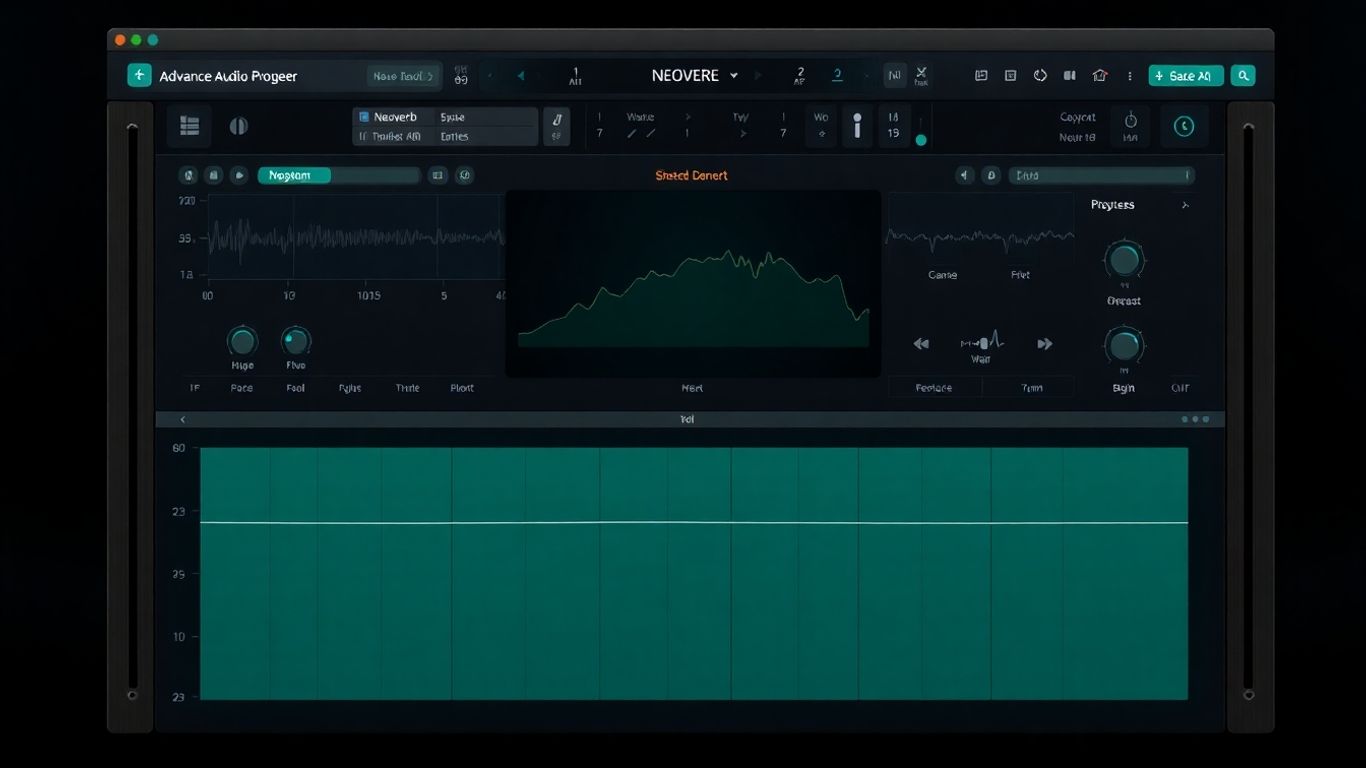
Alright, let's talk about iZotope Neoverb. If you're tired of wrestling with reverb plugins that feel like they were designed by mad scientists, you're gonna dig this. Neoverb is like having a super-smart reverb buddy who actually knows what you're trying to do.
This thing is packed with some seriously cool AI smarts. First off, there's the Reverb Assistant. You feed it your audio, and it helps you dial in the perfect reverb sound. It's not just guessing; it's actually listening and suggesting settings. Then you've got the Blend Pad, which is where the real fun begins. You can mix and match different reverb types – like a tight room with a huge hall – and blend them together to create totally unique spaces. It’s like having a whole studio full of rooms at your fingertips, but without the moving costs.
And the AI-powered EQ? It’s a game-changer. It listens to your track and figures out how to make your reverb sit perfectly in the mix, cutting out muddiness and boosting clarity. No more fighting with frequencies that clash! It’s all about making your reverbs sound good, not just loud.
Here’s a quick rundown of what makes Neoverb so slick:
- Reverb Assistant: Gets you started with smart suggestions.
- Blend Pad: Mix and match different reverbs for unique textures.
- AI EQ: Cleans up your reverb so it fits the mix like a glove.
- Resizable Interface: Because who likes squinting?
Honestly, Neoverb takes a lot of the guesswork out of reverb. It’s like it reads your mind and says, 'Yeah, I know exactly what kind of space you want for that vocal.' It’s fast, it sounds amazing, and it actually makes mixing easier. You can get those lush, deep reverbs without making your whole mix sound distant and muddy. Pretty neat, huh?
14. Neural Q V2
Alright, let's talk about Tone Empire's Neural Q V2. This isn't just another EQ plugin; it's like having a seasoned analog console engineer living inside your computer, but without the questionable coffee breath. Neural Q V2 uses AI that's been trained on actual music samples. What does that mean for you? It means you get a seriously authentic analog EQ emulation that sounds like the real deal, not some digital imitation.
This thing is pretty straightforward to use. You've got your standard controls for tweaking those high and low frequencies, a Pre-Amp Drive to add some tasty grit, and Autogain to keep things from getting out of hand. Plus, there are a bunch of presets to get you started if you're feeling a bit lazy or just want a quick jump-off point. It’s all about getting that classic analog vibe without the vintage gear headaches.
Here's a quick rundown of what you can do:
- Shape your sound: Dial in those sweet spots with intuitive high and low frequency controls.
- Add some character: Crank up the Pre-Amp Drive for that warm, fuzzy analog saturation.
- Stay in check: Let Autogain handle the heavy lifting of level management.
- Explore presets: Jumpstart your creativity with a variety of pre-configured settings.
Honestly, if you're chasing that warm, punchy analog sound but don't have the budget or space for a rack full of gear, Neural Q V2 is a seriously smart move. It’s like a shortcut to that sought-after mojo.
15. CryoMix
Alright, let's talk about CryoMix. This one's an online tool that's all about mixing and mastering, and it's got some AI smarts under the hood. It's built with you, the artist, in mind, aiming to give you a quick, high-quality service. They've really focused on vocalists and rappers here, which is pretty cool.
What's neat is their "Magic Touch" feature. It's designed to give your vocals a dynamic boost, making them pop without sounding totally artificial. Plus, it throws in mixing suggestions based on what it's learned from tons of audio. It's like having a little AI buddy whispering sweet mixing nothings in your ear.
Here's a quick rundown of what you get:
- AI-powered mixing and mastering: Get your tracks sounding polished fast.
- Vocal focus: Special tools like "Magic Touch" for vocalists and rappers.
- Smart recommendations: Machine learning helps guide your mixing decisions.
It's a solid option if you're looking for a streamlined way to get your vocals sounding professional, especially if you're on a tight schedule. It might not replace your favorite engineer, but for a quick, effective polish, CryoMix is definitely worth checking out.
16. Magenta Studio
Alright, let's talk about Magenta Studio. Ever feel like your MIDI ideas are stuck in a rut? Like you're just noodling around and not really getting anywhere exciting? Well, Google's got your back with this cool set of AI tools. Think of it as your creative sidekick, ready to whip up some fresh MIDI magic.
Makes sense, right? You've got your basic patterns, but you want more. Magenta Studio is here to help you break out of that creative block. It’s not about replacing you; it’s about giving you a boost when you need it most. It’s like having a super-smart collaborator who never runs out of ideas.
Here’s a peek at what you get:
- Continue: Got a melody going? This tool will keep it going, offering up continuations that actually sound like they belong. No more awkward jumps in your tunes!
- Generate 4 Bars: Need a little something extra? This one generates four bars of MIDI based on what you've already got. Perfect for filling out a section or sparking a new idea.
- Drumify: This is a fun one. Feed it a melody, and it’ll turn it into a drum pattern. Seriously, it’s wild to see what it comes up with.
- Interpolate: Want to blend two ideas? This tool can smoothly merge rhythmic or melodic patterns, giving you something totally new.
- Groove: This one is all about making your drums sound less robotic. It tweaks timing and velocity to give them that human feel. You know, the stuff that makes you want to tap your foot.
These tools are available as plugins for Ableton Live, which is pretty neat if you're an Ableton user. You can really transform your existing MIDI patterns and melodies. It’s a fantastic way to explore new creative avenues without having to start from scratch. You can find out more about Magenta Studio here.
Honestly, sometimes you just need a little nudge in the right direction. Magenta Studio provides that nudge, helping you discover musical ideas you might not have thought of on your own. It’s all about making music production more fun and less of a chore.
17. Synplant
Alright, let's talk about Synplant, because this thing is pretty wild. You know how sometimes you've got a cool sound, maybe from a sample or another synth, and you just want to twist it into something completely new? Synplant's got this "Genopatch" tech that uses AI to do just that. You literally just drag a sound file into the plugin, and BAM! It spits out a bunch of synthesized variations. It's like giving your audio a genetic makeover.
But it doesn't stop there. You can then mess with this "DNA Editor" to really fine-tune the sound. It's not just about generating patches; it's about creating unique sonic DNA. Think of it as having a mad scientist's lab for your synths. You can get some seriously weird and wonderful textures out of this thing, perfect for when you need a synth sound that nobody else has.
Here's a quick rundown of what makes it tick:
- AI-Powered Patch Generation: Drop any audio in, get synth variations out.
- DNA Editor: Sculpt and mutate your sounds with deep control.
- Unique Sound Design: Create textures you won't find anywhere else.
Seriously, if you're tired of the same old synth presets, Synplant is your ticket to sonic weirdness. It’s a fun way to break out of creative ruts and discover sounds you never imagined.
18. Spark Chords
Alright, let's talk about Spark Chords. Ever stare at your DAW, ready to lay down some chords, and suddenly your brain goes completely blank? Yeah, me too. It's like all the musical knowledge you thought you had just evaporates. Well, Spark Chords is here to throw a virtual lifeline to your creative process. This little gem uses AI to whip up chord progressions for you. Seriously, you can even type in what you're looking for, and it'll generate something pretty darn cool. No more endless noodling hoping for a magic chord change!
Think of it as your personal AI songwriting buddy. You give it a nudge, maybe a text prompt like 'sad indie vibe' or 'upbeat pop progression,' and boom, it spits out some ideas. You can then play these generated progressions using just a single key on your MIDI controller. So, even if your piano skills are, shall we say, developing, you can still get complex, interesting harmonies into your tracks. It's a fantastic way to break through writer's block and discover harmonic ideas you might never have stumbled upon yourself.
Here's a quick rundown of what makes it tick:
- Text-to-Chord Magic: Type in a description, and let the AI do the heavy lifting.
- Single-Key Playback: Trigger complex progressions with just one note.
- MIDI Export: Take the generated ideas and tweak them further in your DAW.
- Inspiration on Demand: Beat creative slumps with instant harmonic ideas.
Spark Chords is like having a cheat code for harmony. It doesn't replace your creativity, but it sure does give it a massive boost when you need it most. It's all about getting those ideas flowing without getting bogged down in theory or technicalities.
19. Emergent Drums 2
Alright, let's talk about making some noise with Emergent Drums 2. If you're tired of digging through endless sample packs or using the same old loops, this is your jam. This plugin uses AI to cook up completely original drum sounds from scratch. Seriously, no more recycled kicks or snares! It's like having a mad scientist in your computer, but instead of bubbling beakers, you get killer drum hits.
What's super cool is the Deep Sampling technology. You can take a generated sound and tweak a slider to get tons of variations. It's wild how much you can change a single hit just by playing with the similarity setting. This means you can get a whole kit's worth of unique sounds without ever leaving the plugin. You'll never run out of fresh percussive ideas again.
Here's a quick rundown of what makes it tick:
- AI-Powered Generation: Creates unique drum samples on the fly.
- Deep Sampling: Infinite variations from a single sound.
- No Repetition: Say goodbye to overused loops and samples.
- Intuitive Interface: Easy to use, even if AI sounds intimidating.
It's a fantastic way to add some serious originality to your tracks. You can find out more about this awesome tool on their website.
This plugin is a game-changer for anyone who wants their beats to stand out. It takes the guesswork out of finding that perfect, unique drum sound.
20. Orb Producer Suite 3
Alright, let's talk about Orb Producer Suite 3. If you've ever stared at a blank MIDI track feeling like your brain just packed its bags and left, this is your new best friend. This isn't just one plugin; it's a whole crew of AI MIDI generators: Orb Chords, Orb Melody, Orb Bass, and Orb Arpeggio. Think of them as your super-talented, slightly quirky bandmates who are always ready with a killer idea.
What's cool is you can go from a super-quick random idea to something really detailed. You've got knobs for Complexity, Density, Polyphony – all the good stuff to tweak until it's just right. Plus, it comes with its own wavetable synth, so you can actually hear what you're making without needing another plugin right away. But hey, if you want to drag and drop those MIDI patterns into your favorite synth or sampler, you totally can. The real magic happens when all these Orb plugins sync up across your whole project, making sure your chords, melody, bass, and arpeggio are always playing nice together. No more awkward musical silences or clashing parts – just smooth, AI-assisted harmony.
Here's a quick rundown of what each Orb brings to the party:
- Orb Chords: Lays down the harmonic foundation. Think of it as the backbone of your track.
- Orb Melody: Generates catchy melodic lines that actually sound good. No more cheesy elevator music!
- Orb Bass: Creates groovy basslines that lock in with everything else. Your low-end will thank you.
- Orb Arpeggio: Adds those swirling, rhythmic patterns that fill out the soundscape.
Honestly, sometimes you just need a spark, and Orb Producer Suite 3 is like a whole fireworks show for your creativity. It's a blast to play around with and can seriously speed up your workflow when you're stuck.
21. Playbeat
Alright, let's talk about Playbeat. If you're tired of staring at a blank MIDI grid, this little gem is your new best friend. Playbeat is basically an AI drum sequencer that takes your samples and whips up some seriously cool rhythmic patterns. It's like having a drummer who's had way too much coffee and is ready to experiment.
You can load up your favorite drum sounds, and Playbeat will start generating patterns based on parameters you set or even by analyzing existing phrases you've marked as 'smart'. It’s pretty wild how quickly it can spit out ideas. You get a lot of control too, with settings for steps and density, so it’s not just random chaos (though a little chaos is good, right?).
Here's a quick rundown of what makes it tick:
- Algorithmic Rhythm Generation: It mixes your samples to create unique patterns.
- Smart Phrase Analysis: Learns from your existing rhythms to create variations.
- Deep Editing: Tweak steps, density, and more for precise control.
- Randomization Algorithms: Three different types to keep things fresh and unpredictable.
It’s a fantastic tool for breaking through creative blocks or just adding some unexpected flair to your beats. You can really get lost in tweaking the settings and discovering new grooves. It’s a great way to explore different rhythmic territories without spending hours programming. Check out this AI drum sequencer if you want to inject some fun into your drum programming.
22. Atlas 2
Alright, let's talk about Atlas 2. If you're anything like me, your drum sample library is probably a chaotic mess. You know, like a digital hoarder's paradise where you swear that perfect kick drum is in there somewhere, but finding it feels like an archaeological dig. Well, Atlas 2 is here to save your sanity.
This thing is an AI-powered sample browser and sequencer that basically sorts your entire life out. Instead of endless scrolling through folders, Atlas 2 automatically groups similar sounds together, creating these super-easy-to-browse 'sample maps'. It’s like having a super-organized assistant who actually gets your taste in drums. You can build custom kits in a flash, swap samples with a few clicks, and even edit your sounds right there. Plus, it's got a sequencer that can whip up drum patterns for you. Seriously, it makes creating drum beats feel less like a chore and more like playing a game. It's a game-changer for anyone who deals with a lot of drum samples and wants to spend more time making music and less time searching. You can check out more about how it organizes your sounds here.
23. Drumnet
Alright, let's talk about Drumnet. If you're tired of the same old drum sounds and want to inject some serious originality into your beats, this AI-powered drum machine plugin might just be your new best friend. It's got this cool thing called Deep Resampling technology. Think of it like this: you feed it your samples, and it goes wild, creating endless variations. It's kind of like Emergent Drums, but with its own flavor.
Seriously, you can go from a basic kick to something completely alien in seconds. It also comes with a built-in sequencer, which is handy, and over 200 presets to get you started. It's a neat little tool for when you need to break out of a sonic rut and just want to experiment.
Here's a quick rundown of what makes it tick:
- Deep Resampling: Creates infinite variations from your samples.
- Built-in Sequencer: For laying down those fresh rhythms.
- 200+ Presets: A solid starting point for inspiration.
Drumnet is all about pushing the boundaries of what a drum sound can be. It's not just about picking a sample; it's about transforming it into something entirely new. If you're looking to add that unique, almost unpredictable element to your percussion, give this a whirl.
24. Wavtool
Alright, let's talk about Wavtool. Ever feel like your Digital Audio Workstation (DAW) is just… a bit much? Like you’re spending more time clicking around than actually making music? Wavtool is here to shake things up. It’s a web-based DAW, which already sounds a little wild, right? But the real magic is how it uses AI to speed up your whole production process. Think of it as your super-smart music-making sidekick.
One of the coolest bits is something called Conductor. This thing is basically a multi-modal music chatbot. Need an answer about a tricky production question? Conductor’s got you. Want it to whip up some audio or MIDI for you? Done. It can even transcribe music, which is pretty wild. Then there’s Composer, designed specifically to kick writer's block to the curb. It gives you live MIDI autocomplete with suggestions that actually make sense in the context of what you’re doing. It’s like having a co-writer who never runs out of ideas and always knows what you’re going for.
Here’s a quick rundown of what makes Wavtool stand out:
- Web-Based Convenience: Access your projects from anywhere, no desktop installation needed.
- AI-Powered Assistance: Conductor and Composer help with everything from idea generation to technical questions.
- Streamlined Workflow: Designed to cut down on the busywork and get you to the creative part faster.
Wavtool is trying to make music production feel less like a chore and more like a spontaneous jam session. It’s a fresh take on what a DAW can be, especially if you’re tired of the same old interfaces.
25. Text to Sample and more
Alright, let's talk about the wild west of AI music tools – the ones that turn your words into sounds. It's like magic, but with more algorithms. You've got plugins like Text to Sample that can literally take what you type and spit out audio. No internet needed for this one, it all happens locally. Pretty neat, right? You can even feed it existing audio and tell it, via text, what to do with it. Imagine typing 'make this drum loop sound like it's underwater' and boom, there you go.
Then there are the lyric generators, like Jarvis. You can give it a title, a starting line, or just let it go wild with a 'Chaos' slider. Sometimes it spits out pure gold, other times… well, let's just say it's a good way to break through writer's block, even if the results are a bit bonkers. And if you need spoken word bits for your tracks, maybe for a producer tag or a weird interlude, tools like UberDuck can make different voices say just about anything you want. It's surprisingly fun to play with.
Here's a quick rundown of what you can do:
- Generate samples directly from text prompts.
- Transform existing audio using text commands.
- Create lyrics in various styles or based on your input.
- Produce spoken word elements with different voices.
These tools are fantastic for sparking ideas when you're feeling stuck. They might not always give you the perfect final product, but they're brilliant for getting the creative juices flowing and exploring sounds you wouldn't have thought of otherwise. Just remember, sometimes the weirdest results lead to the coolest music.
It's a whole new playground for sound design, and honestly, it's only going to get crazier. So go ahead, type something weird and see what happens!
Looking for beats to make your next song? We have over 120 professional hip hop beats ready for you. Since 2014, more than 60,000 artists have found their sound with us. Don't wait to create your next hit! Visit our website today to explore our collection and find the perfect beat.
So, What's the Verdict?
Alright, so you've seen a bunch of these AI mixing tools. Pretty wild, right? It's like having a super-smart assistant who never complains about late nights or bad coffee. Whether you're trying to make your drums punchier or your vocals sound like they're floating on clouds, there's probably an AI plugin out there ready to lend a digital hand. Don't be afraid to play around with them – think of them as fancy new toys for your music-making toolbox. You might just surprise yourself with what you create. Now go forth and mix!
Frequently Asked Questions
What exactly are AI mixing plugins?
Think of AI mixing plugins as super smart helpers for your music. They use artificial intelligence, which is like a computer brain, to help you make your songs sound better. They can automatically adjust things like volume, tone, and effects to make your music sound more professional, often much faster than you could do it yourself.
Is using AI in music production like cheating?
Not at all! Many producers see AI plugins as tools to spark creativity and speed things up. It's like using a calculator for math – it helps you get to the answer faster, but you still need to understand the problem. You can use AI to get a great starting point, then tweak it to make it your own.
Can AI plugins really make my music sound professional?
Absolutely! Plugins like iZotope Neutron and Ozone use AI to analyze your audio and suggest or apply professional-sounding adjustments. This can help you achieve a polished sound, especially if you're still learning the ropes of mixing and mastering. They can help fix problems you might not even hear yet!
Do I need to be a tech expert to use these AI tools?
Nope! Most AI plugins are designed to be super user-friendly. Many have simple controls, like a single knob or an 'assistant' button, that do the heavy lifting for you. You don't need to be a computer whiz to get great results.
What's the difference between AI mixing and mastering plugins?
Mixing is like getting all the individual instruments and vocals to sound good together in a song. Mastering is the final step, making the whole song sound loud, clear, and ready for release. AI plugins can help with both, with some focusing on making individual tracks sound great (mixing) and others fine-tuning the overall song (mastering).
Can AI plugins help me create new musical ideas?
Yes, they can! Some AI tools are amazing at generating new melodies, drum patterns, or chord progressions. They can give you unexpected ideas that you might not have thought of on your own, helping you break through creative blocks and discover new sounds.


