

So, you're curious about AI synth plugins, huh? You've probably heard all the buzz, and maybe you're wondering if these tools can actually help you make music. Think of them as your new studio buddies. They can handle some of the tedious stuff, give you ideas when you're stuck, and generally make your music-making process smoother. We've rounded up some of the coolest AI synth plugins out there that you might want to check out.
Key Takeaways
- AI synth plugins can speed up your workflow by automating tasks like mixing and mastering.
- Tools like LANDR Composer and SPAWN by Lemonaide AI can help generate musical ideas, like chord progressions or drum patterns.
- Plugins such as Emergent Drums 2 and Magenta Studio use AI to create unique drum sounds and manipulate MIDI patterns.
- Vocal AI plugins like Synthesizer V Studio and SoundID VoiceAI can generate realistic vocals or transform existing ones.
- Many AI plugins offer a balance between automated processing and manual control, allowing for customization.
1. Izotope Neutron 4
Alright, let's talk about iZotope Neutron 4. If you're looking to make your mixes sound less like a jumbled mess and more like something a pro actually spent hours on, this is your guy. Neutron 4 is basically your AI mixing buddy, ready to jump in and sort things out.
Think of it like this: you've got a bunch of instruments all playing at once, and some are too loud, some are too quiet, and they're all stepping on each other's toes. Neutron 4's Mix Assistant is like a super-smart conductor that listens to everything and suggests a starting point for your mix. It figures out what needs to be louder, what needs to be quieter, and how to make it all fit together. It’s like having a seasoned engineer whispering sweet nothings of sonic perfection into your ear.
Here's a quick rundown of what makes it tick:
- Mix Assistant: This is the star of the show. It analyzes your audio and creates a custom signal chain. You can even feed it reference tracks to help it nail the vibe you're going for.
- New Modules (Clipper, Density, Phase): These are like specialized tools for specific jobs. Clipper adds punch without distortion, Density smooths out dynamics for more presence, and Phase helps you fix any weird timing issues between tracks.
- Visual Mixer: Ever wondered how all your tracks are interacting? This lets you see and adjust the balance between different elements in your mix, like vocals, drums, and bass.
It's not just about making things louder or quieter; it's about making them clearer. You know, so you can actually hear the bassline and the hi-hats without them turning into mud. It’s a pretty neat trick for getting your tracks sounding more polished, even if you’re still figuring out the whole mixing thing.
Neutron 4 is designed to speed up your workflow and help you achieve better-sounding mixes faster. It's a powerful tool for both beginners and experienced producers who want to add some AI magic to their sound.
2. Izotope Ozone 10
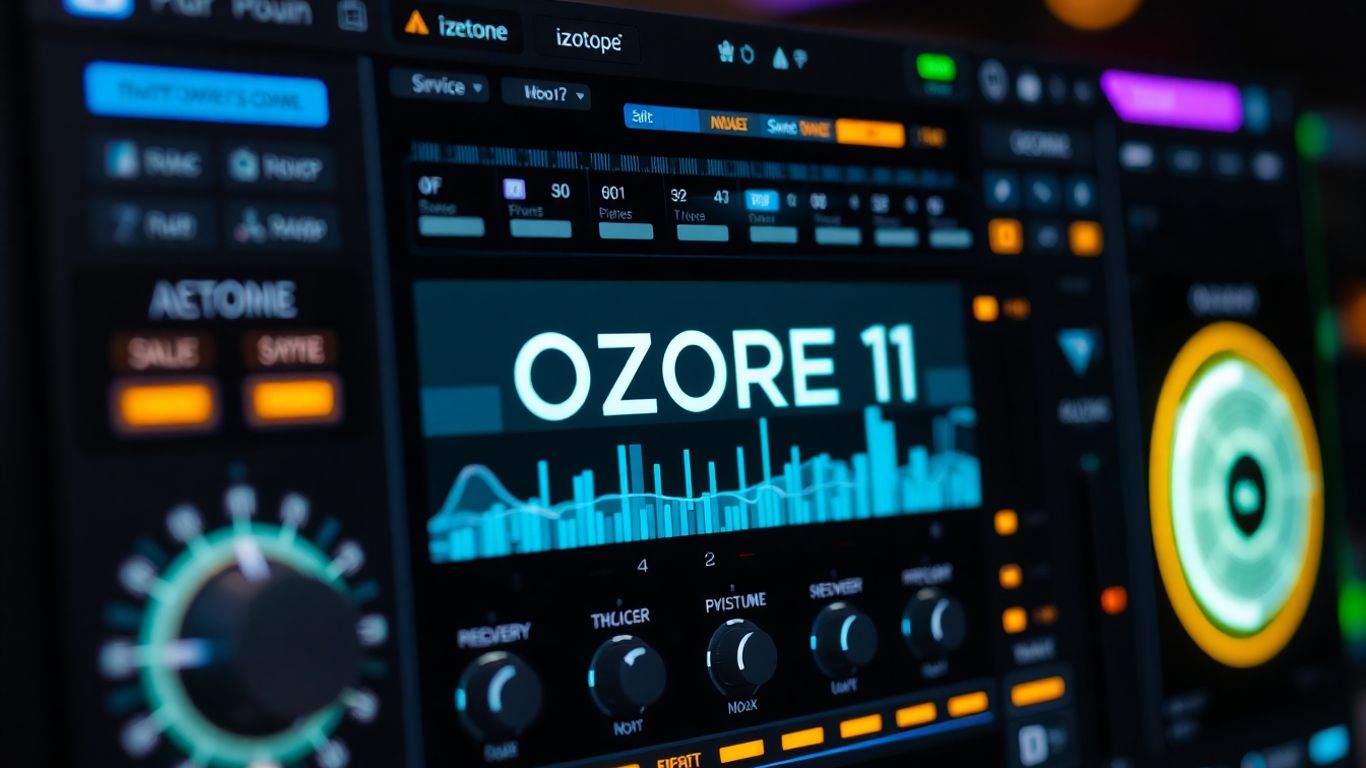
Alright, let's talk about iZotope Ozone 10. If you're looking to give your tracks that final polish, that professional sheen that makes them sound like they came straight out of a fancy studio, Ozone 10 is your new best friend. It's like having a mastering engineer on call, but without the awkward small talk or the need to share your snacks.
This thing is packed with AI smarts. You feed it your track, and its Master Assistant gets to work, analyzing everything and setting up a custom mastering chain. It's pretty wild how it can take your rough mix and sculpt it into something that sounds balanced and ready for the world. It even lets you load up reference tracks so you can compare your work against your favorite songs in real-time. No more guessing if your bass is too boomy compared to that track you love; Ozone 10 helps you match it.
What's cool is that it doesn't just throw a bunch of generic settings at you. It's got these new modules like Clarity, Impact, and Stabilizer that are designed to really fine-tune things. Need to make your master sound more open? Or maybe punchier? Ozone 10 has got your back. It’s all about getting that commercial loudness without crushing all the life out of your music, which, let's be honest, is a delicate art.
Here’s a quick rundown of what makes it tick:
- Master Assistant: Your AI buddy that builds a custom mastering chain.
- Reference Matching: Compare your track to professional masters.
- New Modules: Clarity, Impact, and Stabilizer for detailed sound shaping.
- Low End Focus & Spectral Shaper: Get precise control over the bass and overall tone.
Honestly, sometimes it feels like cheating. You spend hours mixing, and then Ozone 10 comes in and just… fixes it. It’s the kind of tool that makes you feel like a wizard, even if you just clicked a few buttons. Just don't tell anyone how easy it was.
3. Sonible smart:comp 2
Alright, let's talk about Sonible smart:comp 2. If you've ever wrestled with a compressor, trying to get it to sound just right without squashing all the life out of your audio, you're gonna love this. This isn't your grandpa's compressor; it's got AI brains! It's trained on thousands of perfectly compressed tracks, so it knows its stuff.
What's super cool is its spectral compression. Imagine having hundreds of tiny compressors working at once, each one tweaking a specific frequency. It's like having a microscopic audio surgeon for your sound. Trying to do that manually? Forget about it. You'd be there for days, and probably still wouldn't get it right.
This thing analyzes your audio in a flash and then applies compression that actually sounds good and respects the original vibe of your music. It's a real lifesaver for busy mixes, drum buses, or even just vocals that need a little taming.
Here's the lowdown on why you might want this in your toolkit:
- Effortless Compression: Get that smooth, professional compression without the headache.
- Spectral Magic: Tame harsh frequencies or add punch precisely where you need it.
- Speedy Workflow: Analyzes and applies settings in seconds, not hours.
- Musical Results: It enhances dynamics rather than just crushing them.
Seriously, if you're tired of fighting with compressors, smart:comp 2 is like a cheat code. It just gets it.
It's the perfect tool for getting transparent, musical compression that makes your tracks sound better, not just louder.
4. LANDR Composer
Feeling stuck staring at a blank DAW screen? LANDR Composer is here to rescue you from the creative abyss! This isn't just another plugin; it's like having a tiny, super-smart music theory buddy who's always ready with ideas.
LANDR Composer, which used to go by Orb Producer Suite (don't ask me why they changed it, maybe it sounded cooler?), is designed to help you whip up chord progressions, melodies, and basslines without needing a degree in music. It's perfect for when your brain feels like a dried-up sponge and you just need a spark. Seriously, this thing can churn out musical ideas faster than you can say 'what key is this in?'
Here's a peek at what it can do:
- Chord Generation: Just give it a vibe, and it'll spit out chords that actually sound good together. No more endless C-G-Am-F loops unless you want them!
- Melody & Bassline Magic: It doesn't just do chords; it can lay down catchy melodies and groovy basslines to match.
- MIDI Editing: You're not just stuck with what the AI gives you. You can tweak the MIDI notes to make it your own.
- Preset Sounds: It comes with over 100 sounds, so you can hear your ideas come to life right away.
It syncs up with your Digital Audio Workstation (DAW), so you can drag and drop your AI-generated MIDI straight into your project. It’s a real time-saver, especially if you're not a theory whiz or just want to speed things up. You can even use it to generate musical ideas when you're feeling uninspired.
LANDR Composer is pretty neat because it takes the guesswork out of starting a song. It's like a musical brainstorming partner that never gets tired and always has something interesting to suggest. You can spend less time figuring out what notes to play and more time actually making music.
It's available as part of the LANDR Studio subscription or you can grab it on its own. If you're looking to break through creative blocks or just want to add some fresh flair to your tracks, give this a whirl. You might be surprised at what you create!
5. Magenta Studio
Alright, let's talk about Magenta Studio. Ever feel like your MIDI patterns are just… a bit boring? Like they need a little spark, a dash of AI magic? Well, Google's got your back with this suite of five tools. Think of them as your new MIDI best friends, ready to remix, extend, and generally jazz up whatever you throw at them.
These bad boys work as Ableton Live plugins or standalone apps, so you've got options. The whole idea is to take your existing melodies and drum loops and give them a serious AI makeover. You get tools like:
- Continue: This one's great for when you've got a killer idea but it just stops short. Magenta Studio will whip up a continuation for you.
- Generate 4 Bars: Feeling uninspired? Let this tool cook up some fresh variations based on what you've already got.
- Drumify: Got a cool melody but no beat? Drumify turns your melodic ideas into drum patterns. Seriously, it's like magic.
- Interpolate: This is your go-to for blending rhythmic or melodic ideas. Think of it as a super-smart way to merge two musical thoughts.
- Groove: Humanizing is key, right? Groove tweaks the timing and velocity of your MIDI to make it sound less robotic and more like a real drummer (or pianist, or whatever).
It's like having a tiny, super-talented AI bandmate living inside your computer. You feed it a little something, and it spits out cool new ideas. It’s not going to write your next hit song for you, but it’s fantastic for breaking through creative blocks or just adding some unexpected flair to your tracks. Give it a whirl; you might be surprised at what you create.
6. Synplant
Alright, let's talk about Synplant 2. This isn't your typical AI synth that just spits out sounds based on text prompts, though it does have some smarts under the hood. Instead of typing in "sad robot crying in a tin can," Synplant 2 uses a really cool "plant genome" idea. Think of it like this: each sound has its own DNA, and you can grow and mutate it. It's less about telling the AI exactly what you want and more about exploring what's possible.
It uses machine learning to analyze the timbre of a sample you feed it and then tries to recreate that sound using its own synth engine. It's a super creative way to get unique sounds without getting bogged down in endless menus and knobs. You can mess with the ADSR envelope and filters, sure, but the real fun is in letting the "plant" grow.
The coolest part? It all happens locally on your computer, no internet connection needed for the core sound generation. Plus, unlike some subscription models, you buy it once and it's yours. It’s a bit like a musical gardening simulator, and honestly, it’s way more fun than wrestling with a complex synth interface.
Here's a quick rundown of what makes it tick:
- Timbre Analysis: Feed it a sound, and it learns its character.
- Genetic Mutation: Grow new sounds by tweaking its "DNA."
- Local Processing: All the heavy lifting happens on your machine.
- Intuitive Interface: Designed for exploration, not frustration.
Synplant 2 really changes how you think about sound design. It’s less about precise control and more about happy accidents and discovery. If you're tired of the same old synth sounds and want a tool that feels more like playing than working, you should definitely give this one a look.
7. Spark Chords
Alright, let's talk about Spark Chords. Ever stare at your MIDI controller, feeling like your fingers have suddenly forgotten how to form a basic C major? Yeah, me too. This is where Spark Chords swoops in like a musical superhero, powered by AI, to save your songwriting day.
What's the big deal? Well, it's an AI-powered chord trigger. You can literally type in what you want – maybe something like "sad, jazzy, minor progression" – and Spark Chords will whip up some elaborate chord progressions for you. No more banging your head against the wall trying to figure out what sounds good. You can then play these complex progressions using just a single key on your keyboard. Seriously, it's like having a seasoned session musician living inside your computer, ready to lay down some killer harmony whenever you need it.
Here's a quick rundown of why you might want this little gem:
- Text-to-Chord Magic: Just describe the vibe you're going for, and let the AI do the heavy lifting.
- Single-Key Playback: Play complex progressions with minimal effort. Your pinky finger will thank you.
- Inspiration on Demand: Beat writer's block by getting instant, interesting harmonic ideas.
- MIDI Export: Don't like exactly what it came up with? No worries, you can export the MIDI and tweak it to your heart's content in your DAW.
It's a fantastic tool for anyone who wants to add more sophisticated harmonic movement to their tracks without needing a degree in music theory. It really helps you explore new sonic territories you might not have stumbled upon otherwise. So, next time you're stuck, give Spark Chords a whirl. Your future self (and your listeners) will probably be pretty happy you did.
8. Emergent Drums 2
Alright, let's talk about making some noise with Emergent Drums 2. If you're tired of the same old drum samples that everyone else is using, this is your jam. This plugin uses AI to cook up completely original drum sounds from scratch. No more digging through dusty sample packs hoping to find that one perfect kick. Emergent Drums 2 crafts unique hits every single time, so your beats will actually sound like yours.
It’s pretty wild. You can feed it a sound, and then use this 'similarity slider' to generate a whole bunch of variations. Think of it like having a mad scientist drummer in your computer, constantly inventing new ways to hit things. It’s super fun to just mess around with and see what weird and wonderful percussive textures you can come up with. You'll be surprised at the variety you can get without ever touching a real drum kit.
Here’s the lowdown on what makes it tick:
- AI-Powered Sound Generation: Creates entirely new drum samples, not just variations of existing ones.
- Deep Sampling Technology: Lets you tweak existing generated sounds to create endless variations.
- Unique Results: Say goodbye to generic drum sounds and hello to your own signature percussive palette.
- Intuitive Interface: Easy to use, even if you're not a sound design wizard.
Honestly, if you want your drum tracks to stand out from the crowd, this is a seriously cool tool to have in your arsenal. It takes the guesswork out of finding that perfect sound and replaces it with pure, unadulterated creativity.
9. Synthesizer V Studio + Vocoflex
Alright, let's talk about Synthesizer V Studio and its buddy, Vocoflex. If you're looking to get some seriously cool AI-generated vocals into your tracks, this combo is worth a gander. Think of Synthesizer V Studio as your main AI vocalist, taking MIDI notes and lyrics and turning them into surprisingly realistic singing. It's not just about hitting the right notes; you can tweak things like pitch curves and breathiness to make it sound just how you want it.
Then there's Vocoflex, which is where things get really wild. This plugin lets you morph and blend voices in real-time. Imagine taking a smooth R&B voice and mixing it with a ghostly choir sound – Vocoflex makes that possible with its visual interface. It's like painting with vocal colors! This is fantastic for sound designers or anyone who wants to create unique vocal textures that you just can't get anywhere else. You can even build virtual choirs or craft voices for fictional characters.
Here's a quick rundown of what makes this pair shine:
- Realistic AI Vocal Generation: Turn your MIDI and lyrics into singing that sounds human.
- Real-time Voice Morphing: Blend different vocal characteristics to create entirely new sounds.
- Creative Control: Fine-tune pitch, breath, and more for that perfect performance.
- Unique Timbre Creation: Mix and match vocal styles for sounds you've never heard before.
This system is a game-changer for producers who want to experiment beyond standard vocal samples. It opens up a whole new playground for vocal manipulation and creation.
If you're curious about expanding your vocal palette, checking out new voices for Synthesizer V Studio is a good idea. They've got a growing library to play with.
10. SoundID VoiceAI
Alright, let's talk about SoundID VoiceAI. Launched in May 2024, this thing is pretty neat if you're looking to mess with vocals without completely butchering them. Unlike some other AI tools that go wild and make things sound super artificial, SoundID VoiceAI tries to keep the original vibe of your recording intact. It's like giving your voice a makeover, not a complete identity crisis.
This plugin hooks right into your DAW, which is super convenient. It comes packed with over 50 different voice and instrument models. So, you can take a vocal take and turn it into something else entirely – maybe a different voice, an instrument, or even a drum track. The cool part is that it remembers the dynamics, the little vibrato bits, and how you phrased things. It aims for transformations that sound, you know, organic.
Here's a quick rundown of what it does:
- Plays nice with your DAW: Works as a VST, AU, or AAX plugin.
- Processing options: You can choose between cloud or local processing.
- Pitch shifting: Got a transpose feature to tweak the pitch.
- Doubling: A new feature to create natural-sounding vocal doubles.
You can use SoundID VoiceAI for all sorts of things, like making backing vocals, cloning voices for demos, or just generally speeding up your production process. The interface isn't overly complicated either, so you won't need a degree in rocket science to figure it out.
It's a solid choice if you want to experiment with vocal transformations but still want things to sound like a real person singing (or speaking!).
11. Voice-Swap
Alright, let's talk about Voice-Swap. Ever had a vocal idea that just didn't quite hit the mark, or maybe you wanted to hear what your melody would sound like sung by, I don't know, a robot opera singer? Voice-Swap is here to make that happen, and it's pretty wild. This isn't just about slapping a generic filter on things; it's about actually transforming your vocals into something completely new while keeping that original feeling.
Think of it like this: you've got a rough vocal take, maybe a bit shaky or not the right tone. You feed it into Voice-Swap, and BAM! It comes out sounding like a polished studio performance, or maybe like one of the 80+ AI singers they've got loaded up. You can even train it with your own voice samples to create a custom AI singer that sounds like you, but better, or just different. They've even got this cool "Stem-Swap" thing where you can swap out vocals in a whole track right in your DAW. Pretty neat, huh?
Here's a quick rundown of what you can do:
- Demo Vocals: Get professional-sounding demos done in a flash.
- Vocal Experiments: Try out different vocal styles without needing a whole choir.
- Harmony Magic: Generate complex harmonies or even full choral arrangements with minimal effort.
- Voice Morphing: Turn your vocals into something totally unexpected, maybe even an instrument sound if you're feeling adventurous.
Voice-Swap really shines when you want to quickly audition different vocal ideas or create unique vocal textures that would be a pain to record manually. It's like having a whole team of vocalists at your fingertips, ready to sing whatever you throw at them.
So, if you're looking to add some serious vocal flair or just want to play around with transforming voices, Voice-Swap is definitely worth checking out. It's a fun tool that can seriously speed up your workflow and open up some creative doors you didn't even know existed.
12. SPAWN by Lemonaide AI
Feeling a bit creatively blocked? Like your brain's gone on vacation and forgotten to send a postcard? That's where SPAWN by Lemonaide AI swoops in to save the day! This isn't just another synth plugin; it's like having a tiny, super-smart musical assistant living inside your computer. SPAWN is all about generating MIDI patterns – think melodies, basslines, chords, you name it – all royalty-free. You just give it a nudge with some descriptive tags like 'ambient,' 'punchy,' or 'lush,' and boom, it starts spitting out musical ideas.
What's really cool is how you can mess around with the 'Experiment Pad.' You can tweak pitch, add effects, and layer sounds in real-time. There's even an XY pad for some granular control over things like reverb and delay. It’s like a playground for your sounds. Plus, you can easily drag and drop the MIDI or the curated sounds straight into your DAW. No more wrestling with clunky export/import processes.
SPAWN is built with producers in mind, so it tries to get those polished results right out of the box. It’s a fantastic tool for sparking new ideas when you’re drawing a blank or just want to explore different sonic territories without getting bogged down in the technicalities. It’s your secret weapon for generating fresh, production-ready musical elements.
Here's a quick rundown of what you can expect:
- Melodies: Get those catchy hooks flowing.
- Chords: Build harmonic foundations effortlessly.
- Basslines: Lay down a solid groove.
- Curated Sounds: Access unique sonic textures.
SPAWN uses AI to understand musical concepts and generate patterns that actually sound good. It's designed to be a creative partner, not just a random note generator. This means you get musical ideas that feel intentional and ready for your tracks.
13. Output Co-Producer
Okay, let's talk about Output Co-Producer. You know that feeling when you're deep in a track, and you just cannot find the right sample? You've scrolled through your library for what feels like an eternity, and everything sounds… meh. Co-Producer is basically your AI buddy designed to kick that frustration to the curb.
This plugin is pretty slick. It actually listens to what you've got going on in your DAW – like, the key and tempo of your project – and then it digs into Output's massive sample library to find stuff that actually fits. It's like having a super-powered sample librarian who actually gets your vibe. You can even give it text prompts, like asking for a "gritty bass" or some "ethereal pads," and it'll serve up options.
Here's the cool part:
- It analyzes a few bars of your track to get the musical context.
- You can type in what kind of sound you're looking for.
- The samples it finds are ready to drag and drop, already synced up.
- It plays nice with Output Arcade, so you can tweak the sounds even further.
Honestly, the amount of time this thing can save you from endless sample digging is wild. It’s not just about finding a sample, but finding the sample that makes your track pop.
It’s a real game-changer when you hit that creative wall and just need a fresh sound to get things moving again. No more sample-induced headaches, just more music.
14. Natural Drums by Daaci
Alright, let's talk about Natural Drums by Daaci. If you're tired of drum machines sounding like, well, drum machines, this is your jam. Launched in late 2024, this plugin basically acts like a virtual drummer who actually knows what they're doing, right inside your DAW. It's not just spitting out random beats; it's designed to 'think like a musician,' which is pretty wild. You feed it some ideas, and it improvises and adapts, giving you grooves that feel genuinely alive.
What's cool is how it integrates. You can get it as a VST/AU Instrument or even a MIDI FX plugin, so it fits into pretty much any workflow. Plus, they've added a 'Compact Mode' which is great for when you just want to mess around quickly without getting bogged down.
Here's a peek at what makes it tick:
- Structural Variation: This is where the magic happens for rhythmic variety. It's not just a simple fill; it's about creating detailed, interesting rhythmic changes.
- "Shuffle Every Loop": Forget static loops. This feature adds subtle, human-like improvisation to your patterns, making them feel less robotic.
- Trapifier: If you're into trap, this is your secret weapon for crafting those signature hi-hat patterns.
- Adjustable Complexity, Fills, and Swing: You've got control over how busy or sparse the drumming is, when fills happen, and how much swing you want.
It doesn't rely on pre-programmed patterns or just pure chance; it actually tries to improvise and build upon your input. This means you get drum parts that sound like a real person played them, which is exactly what you want when you're trying to make your tracks sound less like a demo and more like a finished piece.
This plugin is a game-changer for anyone who struggles to get realistic-sounding drum performances. It feels less like programming and more like collaborating with a drummer who's really listening to you.
15. ACE Studio
Alright, let's talk about ACE Studio. If you're looking to whip up some seriously cool AI-generated vocals without needing to be a choir master yourself, this is your jam. It’s basically a singing voice generator that plays nice with your Digital Audio Workstation (DAW). Think of it as having a whole crew of virtual singers ready to go.
What's really neat is how it lets you get down to the nitty-gritty. You can tweak individual notes, kind of like sculpting sound waves, and it keeps the quality solid even if you're doing some wild pitch shifting. Plus, they've added this multi-voice AI choir generator – imagine blending a bunch of AI voices to create these massive, rich harmonies. Pretty wild, right? And get this, you can even train it to sing in your unique style with just a few vocal samples. How cool is that?
ACE Studio comes loaded with over 80 royalty-free AI singers, covering all sorts of genres. Need to change a vocal? Its AI voice changer can morph your vocals into something totally different, or even turn them into instrument sounds. Seriously, you just type in your lyrics, map them to MIDI notes, pick an AI voice, and boom – studio-quality vocals. It’s like having a secret weapon for vocal production.
Here’s a quick rundown of what you can do:
- Generate unique AI singing voices and harmonies.
- Transform existing vocals into different voices or even instruments.
- Create custom AI singing voices trained on your own samples.
- Generate studio-quality vocals from MIDI and lyrics.
This plugin really simplifies the process of adding polished vocals to your tracks, especially if you're not a singer or don't have access to vocalists. It’s a time-saver and a creativity booster all rolled into one.
16. Focusrite Fast Bundle

Alright, let's talk about the Focusrite Fast Bundle. If you're tired of fiddling with knobs for hours, this might just be your new best friend. It's basically a set of plugins that use AI to do the heavy lifting for you. Think of it as having a tiny, super-smart assistant inside your DAW, ready to whip your tracks into shape.
Each plugin in the bundle – we're talking limiter, EQ, compressor, reverb, and a neat little thing called 'Reveal' – analyzes the audio you throw at it and makes intelligent adjustments. This isn't just some generic preset; it's tailored to what it's hearing. It gives you a seriously good starting point, saving you loads of time.
Here's a quick rundown of what you get:
- Fast Limiter: Tames peaks and adds loudness without crushing your sound.
- Fast EQ: Cleans up muddiness and adds clarity, intelligently.
- Fast Compressor: Smooths out dynamics for a more consistent feel.
- Fast Reverb: Adds space and depth without making things sound distant.
- Reveal: This one's cool – it's a spectral sidechain that automatically finds and fixes frequency clashes between your tracks. No more fighting over the same sonic real estate!
Once the AI has done its magic, you're still in control. You can tweak all the settings to get that perfect sound. It’s a fantastic way to speed up your workflow and get professional-sounding results faster. You can check out the Focusrite Fast Bundle to see how it can help your music production.
17. Sonible Pure Bundle
Alright, let's talk about the Sonible Pure Bundle. If you're like me, sometimes you just want to get things sounding good without a million knobs staring you down. This bundle is basically three little AI helpers: a compressor, a limiter, and a reverb. You feed them your audio, and they do their smart thing.
The magic is in the single 'amount' knob. Seriously, that's it! You just twist it until it sounds right. It's like having a tiny, super-talented engineer living inside your plugin. They've trained these things on tons of great-sounding audio, so they know what they're doing. It's a fantastic way to speed up your workflow, especially when you're just trying to get a track roughed in quickly.
Here's the lowdown:
- Pure Compressor: Tames those wild dynamics without making your track sound like it's being squashed by a hydraulic press.
- Pure Limiter: Catches those peaks and gets your track loud enough for a demo without nasty distortion.
- Pure Reverb: Adds a sense of space and depth without making your mix sound muddy.
Now, are these going to replace your deep-dive, surgical mixing plugins? Probably not. You don't get a ton of granular control here. But for getting a solid starting point or for those times when you just need something to sound decent now, they're brilliant. It’s a great way to speed up your process for quickly setting up tracks. You can check out the Sonible Pure Bundle if you're looking to simplify your mixing. It’s a real time-saver when you just need to get the job done.
18. TAIP Tape Plugin by Baby Audio
Alright, let's talk about adding some serious mojo to your tracks with the TAIP Tape Plugin from Baby Audio. You know how that old-school tape sound just has this warmth and character that digital stuff sometimes struggles to replicate? Well, Baby Audio decided to get clever and use AI to nail that vibe.
Instead of just throwing some digital knobs at it, TAIP uses AI neural networks. Think of it like training a super-smart digital ear to listen to tons of real tape machines and learn exactly what makes them sound so good. It’s all about capturing that authentic, slightly imperfect, but totally pleasing tape saturation.
What does that mean for you? It means you can slap this on pretty much anything – vocals, drums, synths, you name it – and get that instant warmth and glue. It’s not just about making things louder; it’s about adding a pleasing harmonic richness and a subtle compression that just makes everything feel more cohesive and alive. It’s like giving your tracks a cozy blanket made of pure analog goodness.
Here’s a quick rundown of what makes TAIP so cool:
- AI-Powered Saturation: No boring DSP here. It’s all about smart, learned emulation of tape.
- Authentic Sound: It genuinely sounds like real tape, not a cheap imitation.
- Versatile Application: Works wonders on individual tracks or your entire mix.
- Simple Controls: Despite the fancy AI brain, it’s easy to dial in the sound you want.
Honestly, sometimes you just need that little bit of grit and character that only tape can provide. TAIP gives you that without needing a vintage reel-to-reel machine or a degree in tape engineering. It’s a fantastic tool for adding that final polish that makes your productions sound more professional and, dare I say, more human.
19. Fazertone Overdrive Essentials
Alright, let's talk about getting some grit and grime into your sound with Fazertone's Overdrive Essentials. If you've ever wanted that classic, cranked-amp, pedalboard-hero vibe without actually needing a van full of vintage gear, this is your jam. This plugin packs a serious punch by using AI to model some of the most iconic overdrive pedals out there. We're talking about the legendary Tube Screamer, the gritty RAT, the Boss Distortion, the smooth Blues Driver, and even the massive Big Fuzz. It’s like having a virtual pedalboard that sounds ridiculously authentic.
What's cool is how they used AI to nail the nuances. It's not just a generic distortion; it's capturing the specific way those pedals react to your playing, the way they interact with your amp simulation, and how they shape your tone. You get that satisfying breakup when you dig in and a cleaner tone when you back off, all thanks to some clever AI modeling. It’s a fantastic way to add some character and warmth to guitars, bass, or even synths. You can really explore top mixing plugins that use similar tech to get that analog feel.
Here’s a peek at what you get:
- Tube Screamer: That mid-focused, creamy overdrive.
- RAT: For that aggressive, fuzzy crunch.
- Boss DS-1: The classic, versatile distortion.
- Blues Driver: Smooth, dynamic overdrive.
- Big Fuzz: A wall of vintage fuzz.
Honestly, trying to collect all these classic pedals in real life would cost a fortune and take up way too much space. This plugin just makes it ridiculously easy to experiment and find the perfect overdrive sound for your track. It’s a no-brainer for anyone looking to add some authentic analog flavor without the hassle.
So, if you're tired of sterile digital sounds and want to inject some serious rock and roll attitude into your productions, Fazertone Overdrive Essentials is definitely worth checking out. It’s a fun, effective, and surprisingly affordable way to get those killer overdrive tones.
20. iZotope Neoverb
Alright, let's talk about reverb. You know, that magical sauce that makes everything sound like it's in a real space? Well, iZotope Neoverb is here to make your life a whole lot easier, and honestly, a lot more spacious. Forget fiddling with a million knobs for hours trying to get that perfect hall or plate sound. Neoverb uses AI to do a lot of the heavy lifting for you.
This plugin is pretty slick. It's got this thing called a Blend Pad where you can mix three different reverb types – think early reflections, a classic plate, and a big ol' hall – all at once. The real star, though, is the Reverb Assistant. You feed it your audio, tell it what kind of vibe you're going for, and bam, it suggests settings. You can then tweak the size and tone, and the AI keeps things sounding good. It's like having a seasoned reverb wizard whispering sweet nothings of sonic perfection into your ear.
What I really dig about Neoverb is how it tackles the dreaded reverb mud. You know, when your reverb starts eating up all the clarity in your mix? Neoverb has this smart EQ that cleans up your signal before the reverb hits, and then another EQ for the reverb itself that helps it stay out of the way of your main elements. There's even a masking meter that can talk to other iZotope plugins to show you where things might be clashing. Pretty neat, huh?
Here’s a quick rundown of what makes it tick:
- Blend Pad: Mix and match up to three reverb types (Early Reflections, Plate, Hall) for unique spatial textures.
- Reverb Assistant: AI analyzes your audio and suggests starting points for your reverb settings.
- Intelligent EQ & Unmasking: Keeps your reverb clean and prevents it from cluttering up your mix.
- Masking Meter: Visualizes frequency conflicts with other plugins.
Seriously, if you've ever struggled to get a reverb that sounds both huge and clear, Neoverb is worth checking out. It cuts down on the guesswork and gets you to that polished, professional sound much faster. Plus, it's just plain fun to play with the Blend Pad and create wild new spaces.
21. Synth AI
Alright, let's talk about Synth AI. If you're looking to add some serious sonic flair to your tracks without spending ages tweaking knobs, this might just be your new best friend. Think of it as a massive playground packed with sounds from all sorts of synths – old school analog, sleek digital, you name it. It’s designed to give you that 'wow' factor with minimal fuss.
What's cool is how it mashes up different synth elements. You get this quad-core engine that lets you blend up to four sounds, and then you can animate them with step sequencers and effects. It’s like having a whole band of robots at your fingertips, ready to do your bidding. The interface is pretty slick too, with a tag-based browser that makes finding sounds a breeze. You can even drag MIDI patterns straight into your DAW. Pretty neat, right?
Here’s a quick rundown of what you’re getting:
- Massive Sound Library: Over 1,000 instruments and presets, all built from real synth samples. We're talking 24 GB of audio content here.
- Animated Intelligence: Sounds that move and evolve, thanks to step and FX animators. It’s not just static sounds; they have life!
- Intuitive Interface: Easy to navigate, with a dynamic browser and randomization features to spark your creativity.
- Flexible Engine: A quad-core audio engine that lets you mix and match sounds and effects.
One of the standout features is the 'randomizer'. Feeling uninspired? Hit that button, and it’ll cook up some wild, unexpected sonic combinations. It’s a fantastic way to break out of a creative rut and stumble upon something totally unique. You can tweak the randomization settings to get exactly the kind of happy accidents you're looking for. It’s a bit like a sonic lottery, but you always win!
This isn't just another synth plugin; it's a whole universe of sound waiting to be explored. It’s built for producers who want to experiment and create something fresh, blending the best of vintage and modern synthesis with a touch of AI magic to keep things interesting. You can go from simple, pulsing textures to complex, evolving soundscapes without breaking a sweat.
22. iZotope Neutron 5
Alright, let's talk about iZotope Neutron 5. If you're tired of spending ages tweaking knobs and still not getting that perfect mix, this might just be your new best friend. Neutron 5 is basically an AI mixing assistant that lives inside your DAW. It's got this super smart Mix Assistant that listens to your audio and suggests a whole signal chain to get you started. Think of it like having a seasoned pro whisper sweet mixing nothings in your ear, but, you know, digitally.
What's cool is that it doesn't just slap some generic settings on your track. You can even feed it reference tracks – maybe that song you love the sound of – and it'll try to match that vibe. Plus, it comes with a bunch of new modules like Clipper, Density, and Phase. The Clipper is great for adding some punch without totally wrecking your headroom, and Density is this surgical compressor that can really bring elements forward. It's like having a whole toolbox of smart processors ready to go.
Here's a quick rundown of what makes it tick:
- Mix Assistant: Your AI buddy that builds a starting point for your mix.
- New Modules: Clipper, Density, and Phase add some serious sonic sculpting power.
- Visual Mixer: Lets you see and adjust the balance of your tracks in a cool 3D space.
- Reference Matching: Helps you get your mix sounding like your favorite tracks.
Honestly, sometimes it feels like cheating, but in the best way possible. It takes a lot of the guesswork out of mixing, letting you focus on the creative stuff instead of getting lost in technicalities. It's not going to do all the work for you – you still need to use your ears – but it sure makes the journey a whole lot smoother and faster. Definitely worth checking out if you want to speed up your workflow and get more professional-sounding results without pulling your hair out.
23. iZotope Ozone 11
Alright, let's talk about iZotope Ozone 11. If you're looking to give your tracks that final, polished, 'ready-for-radio' vibe, this is your go-to. It's like having a mastering engineer living inside your computer, but way less judgmental about your questionable life choices.
Ozone 11 packs some serious AI smarts. The Master Assistant is the star of the show here. You feed it your track, and BAM! It analyzes everything and whips up a custom mastering chain. Think EQ, dynamics, limiting – all sorted. It's pretty neat because you can even tell it to match a reference track you love. So, if you've always wanted your song to sound like that one hit you can't get out of your head, Ozone 11 can get you pretty darn close.
What's new and exciting in version 11? They've added some cool modules:
- Clarity: This one's all about making your masters sound super clean and open. No more muddiness!
- Impact: Need a bit more punch and excitement? Impact adds that rhythmic energy without making things sound squashed.
- Stabilizer: This module helps balance out your track, smoothing out any rough edges and making everything sound more cohesive. It's like a gentle nudge in the right direction.
Plus, you still get those awesome features like Low End Focus for taming or beefing up your bass, and the Spectral Shaper for fine-tuning your tone. It’s a whole suite of tools designed to make your music sound professional, even if you're still figuring out what half the knobs do.
Honestly, Ozone 11 takes a lot of the guesswork out of mastering. It's not going to magically make a bad song good, but it's going to make a good song sound great. You can tweak its suggestions, of course, but having that AI starting point is a game-changer for getting commercial loudness while keeping your dynamics intact. It's a serious piece of kit for anyone serious about their sound.
So, if you're ready to stop wrestling with complex mastering chains and want to get your music sounding its absolute best, Ozone 11 is definitely worth checking out. Your tracks will thank you.
24. Vocoflex
Alright, let's talk about Vocoflex. If you've ever messed around with Synthesizer V Studio, you've probably bumped into this guy. Think of Vocoflex as the super-powered sidekick that lets you get really wild with vocal morphing. It's not just about changing a voice; it's about blending them, twisting them, and creating something totally new.
This plugin is where things get seriously fun. You can take different vocal samples – maybe a soulful singer and a choir – and use this cool visual interface to blend their characteristics. It's like painting with voices! You get these interactive curves and nodes that let you literally mix vocal traits like you're mixing colors. Want to give your lead vocal a bit of that ethereal choir vibe? Or maybe make a character voice sound like it's got a hint of a famous rapper? Vocoflex is your playground.
It's particularly awesome for:
- Sound designers who need unique vocal textures.
- Producers looking to create virtual choirs that sound out of this world.
- Anyone wanting to blend human and AI vocals into something completely fresh.
- Crafting fictional character voices that stand out.
Vocoflex really shines when you want to go beyond simple voice changes and start architecting entirely new vocal sounds. It's about the texture, the blend, and the sheer creative freedom to sculpt audio in ways you might not have thought possible.
So, if you're tired of the same old vocal sounds and want to experiment with some truly unique timbres, give Vocoflex a whirl. It might just be the secret ingredient your next track needs.
25. Lemonaide AI
Alright, let's talk about Lemonaide AI, specifically their plugin called SPAWN. If you've ever stared at a blank MIDI grid, feeling like your creative well has run drier than a desert in July, this might be your new best friend. SPAWN is basically an AI MIDI generator that whips up melodies, chords, and basslines for you. Think of it as a super-powered idea starter.
You can feed it tags like 'ambient,' 'punchy,' or 'lush,' and it'll spit out some MIDI patterns. It's not just about generating notes, though. There's this 'Experiment Pad' where you can mess with pitch, effects, and even layer sounds. Plus, an XY pad gives you hands-on control over things like reverb and distortion. It’s a pretty neat way to get some unexpected musical ideas flowing without having to manually program every single note.
SPAWN is designed to help you build cohesive musical ideas, and it does a decent job of it. It's all about sparking that initial creativity and getting you unstuck. It’s a fantastic tool for overcoming writer's block when you just need a starting point.
Here's a quick rundown of what you can do:
- Generate melodies, chords, and basslines.
- Tweak generated MIDI with sound layering and effects.
- Use descriptive tags to guide the AI's output.
- Control effects like reverb and delay with an XY pad.
This plugin is all about giving you a creative nudge. It's not going to write your next hit song for you, but it's definitely going to help you get past those moments where you feel completely stuck. It's a fun way to explore different musical directions quickly.
Check out Lemonaide AI, a cool new tool that helps you make awesome music. It's super easy to use, even if you're just starting out. Want to create your own beats? Visit our website today to learn more and get started!
So, Are We All Just Going to Let Robots Make Our Music Now?
Look, we get it. The idea of AI making music might sound a little wild, maybe even a bit like cheating. But honestly, these AI synth plugins are less about replacing you and more about giving you a super-powered sidekick. Think of them as that friend who’s weirdly good at math and can help you figure out the tricky stuff so you can focus on the fun parts. They’re here to speed things up, spark new ideas when you’re stuck, and generally make your music-making life a whole lot smoother. So go ahead, play around with them! You might just surprise yourself with what you create when you’ve got a little artificial intelligence in your corner.
Frequently Asked Questions
What exactly are AI-powered synth plugins?
Think of AI synth plugins as smart tools for making music. Unlike older plugins that need you to fiddle with lots of settings, these use artificial intelligence to figure out what sounds good. They can help you create melodies, mix tracks, or even generate entire drum beats, often with just a few clicks. They learn from your music and help you get to cool sounds faster.
Are AI plugins like cheating in music production?
Not at all! Using AI plugins is like having a helpful assistant. They handle some of the tricky technical stuff, freeing you up to focus on the creative side. They can give you new ideas you might not have thought of and speed up your workflow, letting you make more music. It's all about working smarter, not harder.
How do AI plugins differ from regular plugins?
Regular plugins usually do one thing and need you to set them up perfectly. AI plugins are more adaptive. They analyze your audio in real-time and adjust themselves to fit. For example, an AI compressor will automatically figure out the best settings for your specific sound, while a traditional one requires you to set everything manually.
Can AI plugins create unique sounds?
Absolutely! Many AI plugins are designed to generate entirely new sounds and samples that you wouldn't find anywhere else. Tools like Emergent Drums 2 can create unique drum samples from scratch, and SYNTH AI offers a massive library of sounds made from various synthesizers, all with the potential for endless variation.
Will AI plugins replace human music producers?
The goal of these AI tools is to work alongside producers, not replace them. They excel at tasks that are repetitive or require a lot of technical knowledge. This allows you, the producer, to spend more time on artistic decisions, exploring new creative directions, and adding your unique human touch to the music.
How can I get started with AI plugins if I'm new to them?
It's easier than you think! Start with plugins that offer a 'mix assistant' or 'mastering assistant,' like iZotope Neutron or Ozone. These will guide you. For creative ideas, try tools like LANDR Composer or SPAWN by Lemonaide AI. Many offer free trials, so you can experiment and see which ones fit your style best.


