

So, you're looking to get into music production and wondering which software to use? Picking the right Digital Audio Workstation, or DAW, can feel like a big decision. Think of it as your digital studio. These programs are where you'll record, edit, and mix all your sounds. We've checked out a bunch of them to help you find the best AI DAWs for your needs, whether you're just starting out or looking to upgrade your setup. Let's see what's out there.
Key Takeaways
- Ableton Live 12 is a top choice for live performance and flexible music creation.
- Logic Pro 11 offers great value and a wide range of instruments and effects, especially for Mac users.
- FL Studio 2025 is a strong contender for beatmaking and sampling.
- Pro Tools remains a standard for professional studio recording and editing.
- Reaper is a budget-friendly option with deep customization and a solid workflow for recording.
1. Ableton Live 12
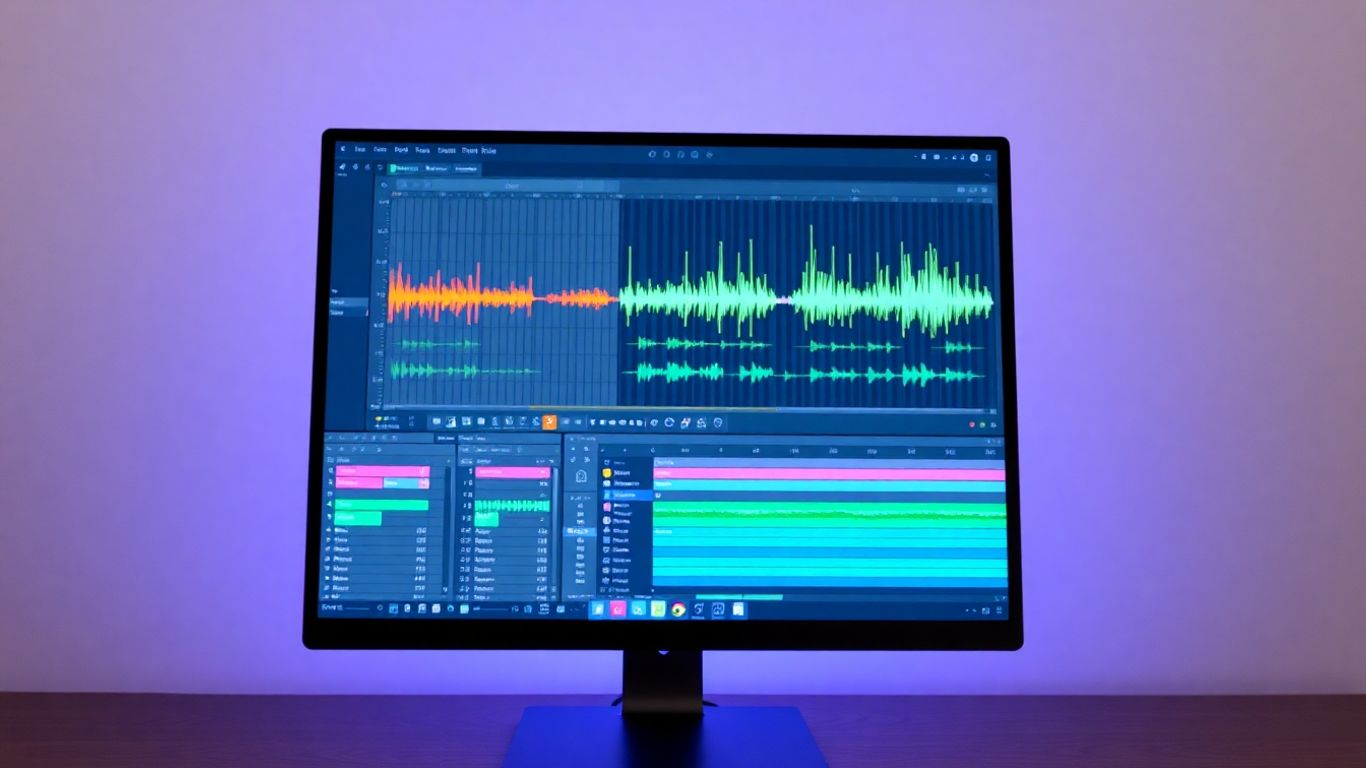
Alright, let's talk about Ableton Live 12. If you're into electronic music, making beats, or even just messing around with sound in a really hands-on way, you've probably heard of this beast. It's been around for ages, but Live 12 really feels like a fresh coat of paint and some serious upgrades under the hood.
What makes Live stand out, especially for you creative types, is its Session View. Forget the boring linear timeline for a sec; Session View lets you launch clips and loops, kind of like a musical scratchpad. It's brilliant for trying out ideas on the fly, jamming, or building up tracks piece by piece without getting bogged down. Plus, with the latest update, they've jazzed up the interface, making the browser way slicker and generally making the whole thing feel more modern and easier to get around. It's like they finally cleaned up your messy studio desk, but digitally.
Live 12 also comes packed with some cool new tools. You've got Meld, a new MPE-ready synth that's pretty wild for sound design, and new MIDI tools that can help you cook up some interesting patterns. They've also added things like native stem separation, which is a lifesaver if you ever need to pull a vocal out of a track or something.
Here's a quick rundown of what you get:
- Session View: Your playground for non-linear music creation and live performance.
- New Synths & Tools: Meld and updated MIDI tools for fresh sounds and ideas.
- UI Improvements: A cleaner, more intuitive interface and browser.
- Max for Live: Lets you build your own instruments and effects – seriously, the possibilities are almost endless.
- Push 3 Integration: If you've got the hardware, it turns Live into a standalone instrument.
While Live 12 is fantastic for electronic genres and performance, if your main gig is recording a full band with tons of microphones, you might find other DAWs a bit more streamlined for that specific task. But for getting creative and making sounds do weird and wonderful things, Live 12 is a serious contender.
2. Logic Pro 11
Alright, Mac users, let's talk about Logic Pro 11. If you're rocking a Mac, this thing is basically your musical Swiss Army knife. It's been around forever, but Apple keeps giving it these cool, almost futuristic updates. The latest version throws in some neat AI-powered 'Session Players' – think of them as virtual bandmates who can lay down some bass or keys for you. It’s like having a session musician on call, but without the awkward small talk or the demand for artisanal coffee.
Plus, they've added this 'ChromaGlow' effect that's supposed to give your tracks some analog warmth. Who doesn't love a bit of warmth? And get this, you can now split up existing audio into separate stems, which is pretty handy for remixing or just cleaning up a messy recording. It’s a seriously powerful package for the price, especially considering Apple just gives you free updates forever.
Here’s a quick rundown of what makes it tick:
- AI Session Players: Your new virtual bandmates for bass and keys.
- ChromaGlow: Adds that sought-after analog warmth.
- Stem Splitter: Lets you break down audio into individual parts.
- Massive Content Library: We're talking thousands of loops and presets to play with.
It’s not just for beginners, either. Whether you're composing a film score, mixing a pop hit, or just messing around, Logic Pro 11 has got your back. It even has a live looping feature that gives Ableton Live a run for its money. The only real catch? You gotta be on a Mac. Sorry, PC folks, this one's an Apple exclusive.
3. FL Studio 2025
Remember FruityLoops? Yeah, FL Studio has come a long way from those days. If you're into making beats that make people move, this is your jam. It’s still got that electronic music vibe at its core, but don't let that fool you; you can pretty much do anything with it. Seriously, if your last experience with FL Studio was back when it looked like a relic from the 80s, you're in for a shock. It’s now a powerhouse that’s seriously slick.
FL Studio really shines if you love working with its step sequencer and pattern-based workflow. It’s not exactly like other DAWs you might have used, so be prepared for a bit of a learning curve if you’re switching over. But once you get it, you get it.
Here’s a quick rundown of why it’s a fan favorite:
- Lifetime Free Updates: Buy it once, and you’re set for all future versions. No sneaky subscription fees or upgrade costs. How cool is that?
- Killer Piano Roll & MIDI Editing: If you’re serious about crafting melodies and rhythms, FL Studio’s piano roll is top-notch. It makes tweaking MIDI feel less like a chore and more like art.
- Unique Workflow: It separates things like the mixer and sequencer into different windows, which might feel weird at first, but many find it super efficient once they adapt.
FL Studio’s approach to music creation is different, and that’s its strength. It’s built around making beats and electronic music, so if that’s your scene, you’ll probably feel right at home. Just don’t expect it to behave exactly like Ableton or Logic – it’s got its own personality!
It’s a fantastic choice if you want to get into beat-making without breaking the bank, especially with that lifetime update policy. It’s the DAW that keeps on giving.
4. Pro Tools
Alright, let's talk about the big kahuna, the OG, the one and only Pro Tools. If you've ever stepped foot in a real-deal recording studio, you've seen this beast. It's the industry standard, and for good reason. Think of it as the Swiss Army knife for serious audio engineers, especially if you're into recording bands or anything with a lot of microphones. It handles massive sessions like a champ, and if you ever plan on working in a professional studio, knowing Pro Tools is like speaking the language.
Seriously, if you're aiming for that big studio sound or want to collaborate with folks who are already deep in the industry, getting familiar with Pro Tools is a smart move. It’s got this reputation for being a bit intimidating, but honestly, they’ve been adding features that make it more accessible, even a free version to get you started. Plus, with its massive compatibility, sharing projects is a breeze. You won't have to worry about your masterpiece turning into a digital mess when you send it off.
Here's a quick rundown of why it's still king:
- The Ultimate Recording Workhorse: Built for capturing multiple sources simultaneously, making it perfect for live bands.
- Industry Connectivity: If you dream of working in professional studios, this is the DAW you'll encounter most often.
- Advanced Editing: It offers deep control for mixing and mastering, letting you tweak every little detail.
- AI-Powered Transcription: The latest updates even include AI for speech-to-text, which is a game-changer for post-production tasks. Check out the latest Pro Tools 2025.6 features!
While it might have a steeper learning curve than some of the others, and the subscription model isn't everyone's favorite, Pro Tools remains the go-to for a reason. It's the benchmark against which many others are measured, and its stability in complex, large-scale projects is unmatched. If you're serious about a career in audio, this is one piece of software you'll want in your arsenal.
5. Cubase Pro 14
Alright, let's talk about Cubase Pro 14. If you're into scoring for film or TV, or just love getting deep into MIDI, this is your jam. Cubase has been around forever, like, since the Atari ST days, so it's got some serious pedigree. It might not look as flashy as some of the newer DAWs, but don't let that fool you. This thing is a powerhouse, especially when it comes to handling video sync and making your MIDI sound super expressive.
What's new and exciting in version 14? Well, they've added these things called Modulators, which are basically LFOs, step sequencers, and envelope followers that can tweak pretty much anything. Plus, the Pattern Editor got a makeover, making loop-based stuff way easier with tools like note probability. It's like they're trying to make generative music a bit more accessible, which is pretty cool.
Here's a quick rundown of what you get:
- Video Integration: Super smooth for syncing audio with visuals.
- MIDI Editing: Top-tier tools for getting those performances just right.
- Modulators: Opens up a whole new world of sound design possibilities.
- Pattern Editor: Makes working with loops and generative ideas a breeze.
Now, it's not all sunshine and rainbows. Cubase Pro 14 is definitely on the pricier side compared to some of its competitors. And if you're used to the super-modern, almost game-like interfaces of Ableton or FL Studio, Cubase might feel a bit more, shall we say, traditional. But hey, if you need serious power for scoring or complex MIDI work, this is a solid choice.
Cubase Pro 14 is a beast for film scoring and intricate MIDI work, but be prepared for a more classic workflow and a higher price tag.
6. Reaper
Alright, let's talk about Reaper. If you're looking for a DAW that's powerful without emptying your wallet, you've gotta check this one out. Seriously, it's like the Swiss Army knife of music production software. You can tweak almost everything, from the menus to the color scheme, making it truly yours. It might look a little old-school at first glance, but don't let that fool you. This thing is a beast under the hood.
Reaper is fantastic for recording live audio and virtual instruments, and it's got a full mixing console to play with. Plus, it handles MIDI and even video scoring, which is pretty neat. What really sets it apart is how customizable it is. You can build your own toolbars and write scripts to make it do exactly what you want. It’s a bit of a learning curve, sure, but the payoff in flexibility is huge.
Here’s a quick rundown of what makes Reaper a solid choice:
- Incredible Value: You get a ton of power for a fraction of the price of other professional DAWs.
- Customization Galore: Make it look and work exactly how you envision.
- Efficient Workflow: It's known for being super responsive, making editing and mixing feel smooth.
- Robust Routing: Sophisticated MIDI and audio routing capabilities mean you can connect things in pretty much any way you can imagine.
Don't expect a massive library of included plugins or sounds right out of the box. Reaper is more about giving you a solid foundation and letting you build your own sonic arsenal. Think of it as a blank canvas ready for your creative touch.
If you're on a budget but still want professional-level features, Reaper is definitely worth a serious look. You can even try it out for a generous 60-day evaluation period before you commit, so there's no real risk in seeing if it clicks with your workflow. It’s a great option for producers who are happy to gather their own plugins and samples, and it’s a particularly strong contender for Windows users who want a stable and powerful production environment.
7. GarageBand
Alright, let's talk about GarageBand. If you've got a Mac or an iPhone, chances are you already have this thing installed, and guess what? It's totally free! Seriously, Apple just gives it to you. It's like finding a twenty-dollar bill in a coat you haven't worn in ages, but for making music.
Now, don't let the friendly name fool you. While it's super easy to get started with, GarageBand is actually pretty capable. It's got a clean layout that looks a bit like its big sibling, Logic Pro, so you're getting a taste of the pro stuff without the hefty price tag. You can record audio, mess around with a bunch of built-in instruments, and even use virtual amps and pedals for your guitar. Plus, the 'Drummer' feature is a lifesaver when you just need a beat to jam with – it's like having a virtual drummer who actually knows what they're doing.
Here's a quick rundown of what you get:
- Instruments Galore: Loads of virtual instruments, from keyboards to synths, ready to play.
- Record Anything: Hook up a mic or an instrument and lay down your tracks. It handles 24-bit recording, which is pretty sweet.
- Smart Controls: Makes tweaking sounds way less intimidating.
- Producer Packs: These add extra loops and sounds to keep your creativity flowing.
It's not going to replace a full-blown studio setup for complex mixing, and you're limited to 32 tracks, which might feel a bit tight if you're going epic. Also, there's no dedicated mixing console view, which some folks miss. But honestly, for getting your ideas down, learning the ropes, or just having some fun making beats, GarageBand is an absolute steal because it costs nothing. It's the perfect launchpad before you decide to jump into more advanced software. You've probably already got it, so why not give it a whirl?
8. Bitwig Studio
Alright, let's talk about Bitwig Studio. If you're someone who loves to tinker with sound, twist knobs, and basically build your instruments from the ground up, then you're going to get a kick out of this one. Bitwig was actually cooked up by some folks who used to work at Ableton, so you can see some familiar DNA, but they've definitely forged their own path.
What really sets Bitwig apart is its 'Grid' system. Think of it as a playground for sound design. You can grab all sorts of modules – oscillators, filters, effects, you name it – and patch them together like a modular synth. It’s pretty wild how deep you can go with it, and honestly, it makes creating unique sounds feel less like a chore and more like a fun puzzle. It’s like having a whole modular synth setup built right into your DAW.
Here’s a quick rundown of what makes it tick:
- The Grid: This is the star of the show. It’s a modular environment where you can build your own synths and effects. Seriously, the possibilities are almost endless.
- Modulation: Bitwig has a super flexible modulation system. You can use LFOs, envelopes, and all sorts of other tools to control almost anything in your project, even tempo. It’s great for adding movement and life to your tracks.
- Workflow: While it’s a powerhouse for sound design, it doesn’t forget about the traditional stuff. You can still record, arrange, and mix like you would in any other DAW. It’s a nice balance.
Now, it's not all sunshine and perfectly synthesized rainbows. The interface can get a little busy, and if you're primarily a traditional recording engineer who just needs a straightforward place to lay down tracks, it might feel like overkill. But if you’re looking to really get your hands dirty with sound, Bitwig is a fantastic choice. You can even check out their latest updates to see what’s new.
Bitwig Studio really shines when you want to experiment. It encourages you to break away from presets and build your own sonic identity. It’s a DAW that grows with you as your sound design skills develop.
9. Reason 13
Alright, let's talk about Reason 13. This one's a bit of a curveball, and honestly, it's pretty cool. Instead of just being a DAW, think of it as a virtual studio packed with hardware. You get this thing called 'The Rack,' which is basically a digital playground where you can grab synths, effects, and all sorts of gear, then wire them up like you're in a real studio. It’s a fantastic place to get lost in sound design. If you love messing with cables and creating unique signal chains, you'll feel right at home here.
What's neat is that once you've built your sonic masterpiece in The Rack, you can save it as a single unit, or even use Reason as a plugin inside other DAWs. Talk about flexible! Of course, it works perfectly fine on its own too, with a solid sequencer, audio editing, and even a mixing desk that looks like it came straight out of a fancy studio. Reason 13 brought some nice updates, like a much better browser, smoother editing, and new toys like the Polytone synth and Ripley delay. You can buy it outright, or go for the Reason+ subscription which throws in tons of samples and extra gear. It's definitely a bit pricier if you're buying it outright, and it doesn't do things like surround sound or video scoring, but for pure sound creation and experimentation, it's a winner.
10. UA Luna
Alright, let's talk about UA Luna. Universal Audio, known for its fancy audio interfaces and plugins that sound like they came straight from a vintage studio, decided to jump into the DAW game back in 2020. And guess what? It's now free for everyone on macOS and Windows, which is pretty wild considering the quality you get. Luna offers a recording and mixing experience that really holds its own against the big paid players. You can throw as many tracks at it as your computer can handle – no limits here, which is a nice change of pace. Plus, it plays super nicely with other Universal Audio gear and UAD plugins, giving you that low-latency recording magic. It even has this cool
Looking for beats for your next song? We have over 120 professional hip hop beats ready for you. Since 2014, more than 60,000 artists have found their sound with us. Check out our amazing collection and find the perfect beat to make your music shine. Visit our website today to explore the beats!
So, What's the Verdict?
Alright, so you've seen the rundown of these digital audio powerhouses. Picking the right DAW can feel like choosing a favorite pizza topping – everyone's got an opinion, and honestly, they're all pretty good! Whether you're trying to make the next chart-topper or just messing around in your bedroom studio, there's a tool here that'll get the job done. Don't overthink it too much; grab a demo, play around, and see what clicks. The most important thing is to actually make some noise. Now go forth and create something awesome (or at least something that doesn't sound like a dying cat)!
Frequently Asked Questions
What exactly is a DAW?
Think of a DAW, or Digital Audio Workstation, as your main music-making software. It's like a virtual studio on your computer where you can record sounds, put them together, add cool effects, and make your music sound polished.
How do I pick the best DAW for me?
Choosing a DAW is a bit like picking a favorite tool. Think about the kind of music you want to make – are you into electronic beats, recording live bands, or making movie soundtracks? Also, consider if you prefer a simple layout or something with tons of options. Trying out free demos is a great way to see what feels right for your style.
Do I need a powerful computer for a DAW?
Generally, yes. DAWs can be demanding, especially if you're using lots of effects or virtual instruments. A decent computer with enough memory (RAM) and storage space will help everything run smoothly, so you don't get annoying glitches while you're creating.
Can I use different DAWs together?
While you can technically use different DAWs, it's usually best to stick with one main program. Sharing projects or ideas between different DAWs can sometimes cause problems. Plus, learning one DAW really well will make you a better producer faster.
What's the difference between a free DAW and a paid one?
Free DAWs, like GarageBand, are awesome for starting out and learning the basics. Paid DAWs often have more advanced features, a wider range of built-in sounds and effects, and more professional tools for mixing and mastering. But honestly, you can make amazing music with either!
Are AI features important in a DAW?
AI tools in DAWs are becoming super helpful! They can do things like automatically separate vocals from a song or suggest musical ideas. While not essential for everyone, these AI features can speed up your workflow and open up new creative possibilities, especially for tasks like cleaning up audio or finding specific sounds.


