

Ever feel like your DAW is working against you? Music AI plugins are here to help. Instead of spending hours tweaking, searching, or just staring at a blank screen, these tools can give you a nudge in the right direction. Whether you’re stuck on a mix, lost in a sea of samples, or just want to try something new, AI plugins can speed things up and keep things interesting. Let’s check out the must-have plugins for AI-assisted music creation—no technical degree needed.
Key Takeaways
- Music AI plugins can save you loads of time by handling boring or repetitive tasks.
- You don’t have to be a pro to get good results—these plugins are user-friendly and helpful for beginners and pros alike.
- AI-powered tools can give you new ideas for melodies, chords, and beats when you’re feeling stuck.
- Mixing and mastering with AI plugins is faster, and you can always tweak the results to fit your style.
- Trying out different AI plugins can actually make music production more fun and less stressful.
Supercharged Mixing—AI Style

So, you’ve got tracks piled up and your ears are on strike. Don’t sweat it—today’s AI plugins are here to help you mix like your favorite engineer (without spending ten years learning compressions). Mixing is no longer a big, scary mountain. Now, it’s more like riding a bike—if the bike told you exactly what to do at every turn.
Izotope Neutron: The Smart Studio Sidekick
Bet you didn’t know your DAW could have an actual buddy! Izotope Neutron is basically the mix assistant you didn’t know you needed—it’s smart, it listens, and it never complains. Neutron analyzes your tracks, then quickly throws out custom EQ, compression, and even unmasking moves, all tailored to your session. This isn’t just automatic button-mashing; after it suggests tweaks, you stay in control and fine-tune everything.
- Auto-analyzes multi-tracks or mixes
- Tackles EQ, compression, and tonal balance
- Gives a clean starting point when everything sounds muddy
There are days your ears are just tired. Neutron can pull you out of a rut with a fresh angle on your mix, so you don’t end up listening to the same snare for three hours straight.
If you’re curious about transforming audio to MIDI (for even more creative flexibility), tools like the Samplab Polyphonic Audio-to-MIDI Converter can slot right into your workflow.
Sonible smart:comp 2: Compression That Listens
Look, everyone fights with compressors. The knobs, the ratios, the settings—it’s a jungle. smart:comp 2 makes compression less guesswork and more fun. It analyzes your audio, figures out noisy frequencies, and applies exactly the right squish, whether you’re on vocals, drums, or a full band. If you’re after punch but don’t want to spend the weekend fiddling around, this plugin’s got your back.
Here’s how it helps:
- Intuitive interface; minimal setup fuss
- AI picks out resonances you’d easily miss
- Adaptive profiles for different genres (rock, electronic, pop, you name it)
No more newbie nightmares about over-compressed mixes.
Making the Most of AI Mix Assistants
So, you’ve downloaded a smart plugin or two. How do you really make them work for you? Here’s a survival guide:
- Always start with your best recordings. AI is cool, but it’s not magic—garbage in, garbage out!
- Let the plugin do the first pass; don’t fight it, just listen with fresh ears.
- Check every suggestion with your own taste—use AI’s speed, not its ears.
- Don’t be afraid to twist settings after pushing the "mix" button. That’s the real fun part!
Mixing used to feel never-ending, but with these plugins, you’ll actually have time to step outside and remember what the sun looks like. The only thing they can’t do? Make coffee for you. Yet.
Drum Machines With Brains (Not Just Pads)
A regular drum machine just spits out patterns like an old-school calculator. But with AI, your beat tools start to actually think. If you’re tired of the same old kicks and static loops, these plugins let you experiment with rhythm, swap samples fast, and even surprise yourself with sounds you’ve never used before. It’s like having a beat-making buddy who’s way less annoying than that one guy in your group chat.
Emergent Drums 2: Fresh Kicks on Command
Spend too much time stuck in sample folders? Emergent Drums 2 fixes that by generating original drum hits using AI, so every new kick or snare is unique—no recycling loops from a dusty drum pack.
- Instantly create one-of-a-kind drum samples, zero risk of sounding like everyone else
- The similarity slider gives you control over how wild or familiar the next hit will be
- Deep sampling keeps options endless, so you never end up in creative quicksand
Sometimes you hit "generate" and think, "Wait, that’s actually kinda awesome." It’s more fun than rearranging the same 808s for the hundredth time.
Atlas 2: AI Sample Maps for Drum Nerds
Atlas 2 makes organizing drum samples fast, almost fun—yes, really. Instead of clicking through folders for hours, Atlas scans your whole library and builds a visual "map." Similar sounds group together automatically, so you swap a clap or find that perfect snare without losing your groove.
Here's why drum obsessed folks keep reaching for Atlas:
- Makes finding samples and building kits shockingly fast
- Hit the sequencer and you get pattern generation with a click
- Organizes chaos: your entire sample stash, sorted by similarity, ready for action
If you want a peek at other top drum machine plugins, check out these best drum machine picks for producers this year.
Playbeat: Algorithmic Rhythm Chaos
Let Playbeat shake up your rhythms. It’s an AI-powered drum sequencer that mixes up samples and spits out patterns—some you’d never program on your own. Got a drum library? Load it in, set some "smart" rules, and hit randomize.
- Select exactly how wild or restrained you want the groove to get
- Three randomization algorithms keep things fresh (not just shuffled weirdness)
- Handy for both instant ideas and really detailed tweaks
Playbeat turns drum sequencing into something less like math homework and more like a sandbox. All you have to do is pick your samples, decide how much control to hand over, and let the plugin throw out ideas until something clicks.
Don’t feel bad if your old drum machine is gathering dust in the closet. AI beat tools are making it normal to spark new ideas just by goofing around—and hey, that’s half the fun of making music anyway!
Killer Chords, Harmonies, and Melodies—No Piano Lessons Required
So you want catchy hooks, beautiful harmonies, or those chords that make people melt—but can’t even find middle C without a map? You’re not alone. AI-powered music tools are here to help you fake it till you make it, no expensive music education required.
SPAWN by Lemonaide: MIDI Mayhem Engine
Meet SPAWN, your new MIDI chaos generator. Punch in your idea—maybe just a single note or nothing at all—and suddenly, it's tossing out melodies, chords, and patterns that sound like you actually know music theory.
A few things SPAWN does that you’ll probably love:
- Generates fresh MIDI every time; you’ll never get the same result twice unless you ask nicely
- Lets you shape the amount of chaos or restraint (want something wild? Crank it!)
- Works right inside almost any DAW—drag, drop, tweak, done
Honestly, it’s like having a musical partner who’s permanently stuck in a good mood and always has a new idea.
Orb Producer Suite: Tuneful Teamwork for Your DAW
Think of Orb Producer Suite as that genius friend who actually paid attention in music class. Plug it into your DAW, tell it the vibe, and it’ll spin out patterns, motifs, and harmonies for you.
The most fun part? You choose the emotion, style, or even specific scales, and it follows your lead. Whether you need a pop hook, jazzy chords, or something dark for your movie soundtrack—Orb’s got a button (or ten) for that.
Handy uses:
- Drafting entire chord progressions with one click
- Generating melodies that sound like real humans made them
- Quickly exploring different genres when you’re feeling stuck
Spark Chords: Your Text-to-Song Genie
Ever wished you could just say what kind of chord you want and have a plugin spit it out? Spark Chords does basically that. Type something like “emotional intro in D minor”—and, boom, it comes up with chord progressions you can play with one key.
Quick reasons Spark Chords is worth a spin:
- Dead simple for beginners, but still cool for pros
- Pick your root, scale, and mood—let Spark do the math
- MIDI export, so you can throw its progressions into any song
Bottom line: These AI tools don’t just help you skip the boring or tough parts—they open up new ideas, whether you’re starting from scratch or chasing that one stubborn melody you can’t quite get right.
Sample Selection, the Lazy Genius Way
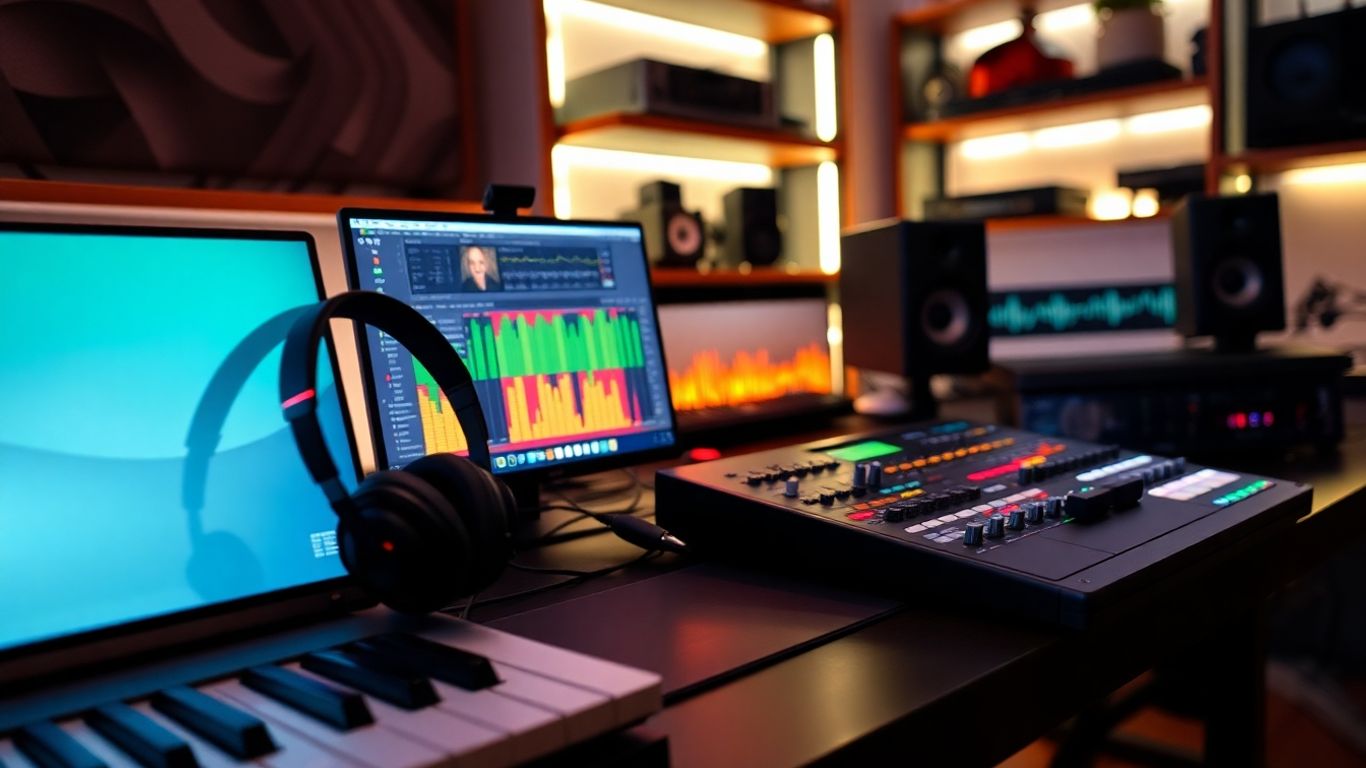
Let's be honest, scrolling through thousands of samples gets old fast. One minute, you’re searching for a snare, and suddenly hours have passed and all you’ve got is ear fatigue and a messy downloads folder. Lucky for you, there are AI plugins that actually make picking the right sounds fast and even a bit fun.
Output Co-Producer: Instant Matchmaker for Sounds
Ever wish your DAW could just read your mind and pull up the perfect samples? Output's Co-Producer is about as close as it gets. You load a few bars of your track, let it listen, and suddenly it’s serving up drum loops, bass hits, and weird textures that somehow just fit.
- Understands your track by analyzing key and tempo
- Accepts text requests like “dark synth” or “jagged percussion”
- Lets you drag-and-drop samples, already synced to your project
No more endless auditioning—Co-Producer actually gets what your song needs. It even sorts stuff by mood and type. If you’re sick of creative block or just low on patience, this plugin is a lifesaver.
Sometimes you don’t have the energy for decision fatigue. Let Co-Producer give you options so you can get back to the fun part—making music.
Jamahook: Rediscover the Gems in Your Library
Jamahook feels like that friend who always finds hidden treasures at the thrift store. Plug it into your mix, smack the big Match button, and it digs through your library (or its own) to suggest samples that actually go with your song. No smoke and mirrors—just AI doing its thing:
- Identifies BPM, key, genre, and mood of your project
- Suggests harmony, rhythm, and drums categories
- Filters by mood, instrument, and even specific gear, like "303 bassline"
And here’s something cool: it doesn’t just push you toward new purchases. Jamahook will pull up gems you totally forgot you had buried on your hard drive. It works on a subscription, but if you produce regularly, it pays off in no time.
Cosmos by Waves: The AI Librarian You Never Knew You Needed
You either know exactly where your samples are, or you’re normal and your folders are chaos. Cosmos is your personal librarian. It scans your entire sample stash, runs an AI-based organization, and slaps tags on everything:
- Instruments (drums, vocals, synths...)
- Styles
- Key, BPM, and timbre
Searching "lofi snare" or "emotional guitar" actually gets results! It’s insanely quick, and you’ll spend way less time fumbling with files. Plus, it sorts stuff instantly—even with massive libraries.
When The Robots Pick Your Sounds...
Here are three perks you’ll notice right away:
- Massive cuts to wasted searching time
- Fresh inspiration from sounds you’d never dig up alone
- More finished tracks (because you didn’t burn out looking for shakers)
Let the smart plugins do the boring heavy lifting. You just focus on being you—a creative genius who knows when to let the machines do the grunt work.
Synth Sorcery With AI DNA
Synth nerds, dreamers, and every music producer who found themselves lost in the labyrinth of preset scroll—this one’s for you. AI-powered synth plugins are changing the way you build, shape, and even imagine sounds. Now, you don’t have to be a circuit-bending wizard or hoarder of obscure hardware to craft wild, living synth patches. Let’s peel back the curtain and see what these machines can actually do for your tracks.
Synplant: Grow Sounds Like a Musical Gardener
Ever tried making your own synth patches and ended up just twisting knobs at random, hoping for a good sound? Synplant gives you a totally different playground. Instead of rows of sliders and confusing menus, you plant a digital seed and literally grow your sound—branches and all. Then, its Genopatch AI kicks in: just toss in a sample (like a kick, sneeze, or your cousin screaming) and Synplant spins up a bunch of genotypes, each giving you a new, unique synth patch. Editing gets weird and friendly. You’re not just picking from a menu—you’re sculpting DNA. It feels a lot less like debugging a spaceship and way more like making music with magic beans.
Sistema 2: Type a Vibe, Hear a Patch
Typing in a mood or style to generate a synth sound sounds like sci-fi, but that’s what you get with Sistema 2. Punch in “spooky arpeggio” or “warm 90s brass” and boom—out comes a ready-to-go patch, no engineering degree needed. Instead of getting lost in too many options or arcane manuals, Sistema 2 bridges the gap between idea and result. It’s not just fast, it’s freeing. If you ever felt stuck on a sound, or just didn’t know how to start, this thing has your back.
Here’s a quick look at how it changes things:
| Old Method | With Sistema 2 |
|---|---|
| Search presets for hours | Describe a sound in a few words |
| Tweak forever, lose focus | Get a usable patch instantly |
| Forget your original idea | Stay in the flow |
Magenta Studio: Machine-Learning Melodic Mutations
So, Magenta Studio is like a Swiss Army knife for wild MIDI ideas. Brought to you by Google, it includes several tools—Continue, Generate 4 Bars, Drumify, Interpolate, and Groove. These aren’t boring randomizers. Drop in a melody, and "Continue" develops it for you, so you don’t run out of ideas. Want new drum patterns based on your melody? "Drumify" makes it happen. “Interpolate” blends rhythms or melodies in ways you never thought of. You can use it as a standalone program or right inside Ableton Live. It’s like bringing in a quirky, hard-working co-writer who never gets tired or needs snacks.
- Create variations of your MIDI clips in seconds
- Easily convert melody to fresh drum parts
- Humanize your MIDI patterns for a more natural feel
Sometimes you just need a spark. Messing around with AI synth tools isn’t about replacing yourself—it’s about shaking up your routine and stumbling onto something that makes your ears perk up. Give these a try, and making music might just feel like play again.
For top-notch vocal synths and creative transformation tools, check the AI singing voice generator roundup—there’s a whole other world of sonic weirdness to explore once you’ve got your synths dialed in.
Next-Generation Vocal Transformation
There’s never been a wilder time to mess around with vocals. Singers on demand, voices that morph, and AI that nails harmonies—if you just mumbled into a mic and hoped for gold before, now it’s like you’ve got a futuristic vocal lab in your DAW.
Voice-Swap: Swap, Twist, and Morph Those Vocals
This one’s got serious party tricks. Voice-Swap lets you take any scrap of singing (yours or your friend’s), and switch it to sound like a totally different person, no sleep lost over pitch or emotion. The cool part? There are over 80 AI voices ready to go—pop stars, soul crooners, synthy robots, you name it. The customization runs deep, too: upload your own recordings and literally train the plugin to match your voice so you have an AI twin that’ll do your bidding. The "Stem-Swap" tool is a life-saver for swapping out lead vocals on the fly.
- Choose from a huge library of AI singers.
- Clone your voice with just a few samples.
- Replace any vocal part in a track with AI voices instantly.
Want your scratch take to sound like a radio-ready angel? Voice-Swap might be that magic trick you’ve been hunting for.
ACE Studio: Virtual Vocal Virtuosity
Skip endless vocal takes and late-night comping sessions. ACE Studio bridges right into your DAW, letting you plot out note-by-note what you want sung. Drag MIDI around, write the lyrics, then twist and stretch pitch, vibrato, or even the texture of the vocals without turning things robotic. It’s like a session singer who never gets tired. You also get:
- Over 80 royalty-free AI voice models of all kinds.
- A multi-voice “AI choir” for instant harmonies.
- The option to train your own singer with just a few samples (your voice, your way).
Feeling experimental? You can even morph vocals into instruments for weird, beautiful effects.
SoundID VoiceAI: Tailor-Made Tone for Singers and Shouters
If you want a vocal plugin that keeps things real (not too plastic, not too sci-fi), this is the one to load up. SoundID VoiceAI takes what you record and tweaks it so it still sounds like you—or whoever you recorded—just with an unreal level of polish and range. There’s pitch tweaking, double-tracking, and even transformation into totally new voices or instruments. Key facts:
| Feature | SoundID VoiceAI |
|---|---|
| Supported Formats | VST, AU, AAX |
| Models Included | 50+ voices/instruments |
| Double Tracking | Yes |
| Pitch Shifting | Yes |
It’s perfect for:
- Building rich backing tracks from a single performance.
- Instantly cloning or tweaking demo vocals for songwriting.
- Spicing up production tricks—think intimate whispers or massive choir sections.
Don’t Just Settle For Flat Takes
Go in, experiment. These plugins aren’t just for fixing stuff—they’re secret weapons for getting creative with how vocals feel. Try singing something normal, and let these tools flip it on its head. Your next hit might just start as a wild experiment in AI vocal transformation.
Discover the future of vocals with our next-generation vocal transformation tools. Want to give your music a fresh sound and stand out from others? Try our easy-to-use features and see how your songs can change. Visit our website today to learn more and get started!
Wrapping Up: Your New AI Bandmates Await
Alright, so here’s the deal: AI plugins aren’t here to steal your job or write the next big hit while you nap on the couch (though, honestly, that would be kind of amazing). They’re more like that friend who always has wild ideas at band practice—sometimes genius, sometimes a little out there, but always pushing you to try something new. With these tools, you can skip the boring parts, get unstuck when your brain is fried, and maybe even stumble onto a sound you never thought you’d make. So go ahead, load up a few of these plugins, and see what kind of weird, wonderful music you can cook up. Who knows? Your next track might just be your best one yet—and if not, at least you’ll have fun messing around. Happy producing!
Frequently Asked Questions
Are AI plugins cheating in music production?
Nope! Using AI plugins is just another way to make music easier and more fun. They help you work faster, spark new ideas, and let you focus on being creative. You’re still the one making the music—AI just gives you a boost.
Will AI plugins replace real musicians or producers?
Not at all. AI tools are just helpers. They can suggest chords, clean up sounds, or give you fresh beats, but the heart and soul of music comes from you. Think of them as your digital bandmate, not your replacement.
Do I need to be a pro to use AI music plugins?
No way! Most AI plugins are made to be super easy. You don’t need to be a mixing expert or a piano wizard. Just drag, drop, and play around. The plugins do the heavy lifting, so you can focus on having fun and making music.
Can I still control my sound if I use AI plugins?
Definitely! AI plugins usually give you a starting point, but you can always tweak and change things however you want. You’re always in charge. The AI just helps you get there faster.
What are the best types of AI plugins for beginners?
If you’re just starting out, try plugins that help with mixing, mastering, or making drum beats. Tools like iZotope Neutron, Ozone, or Playbeat are easy to use and can really level up your tracks without a lot of work.
Do AI plugins work with all DAWs?
Most AI plugins work with popular DAWs like Ableton, FL Studio, Logic, and more. Just check the plugin’s website to make sure it fits your setup before you buy or download.


