

So, you're looking to make your trap vocals really pop over your beats? It's a common goal, and honestly, it makes a huge difference in how professional your track sounds. You want those vocals to sit right in the mix, feeling both upfront and glued to the rhythm. Whether you're spitting bars or singing a hook, getting the vocal mix right is key. We'll go through some mixing tips to help you get there, from the recording stage all the way to the final polish.
Key Takeaways
- Start with a solid recording. Clean audio means less work later. Pay attention to mic placement and your performance.
- EQ is your friend for cleaning up mud and adding clarity. Use high-pass filters and cut out boxy mids, then boost presence where needed.
- Compression helps control vocal levels, making them consistent. Find a balance so they don't get lost or jump out too much.
- Don't shy away from autotune and saturation. They're common tools in trap for a reason, adding character and that signature sound.
- Use reverb and delay sparingly for depth and width, and layer doubles and ad-libs carefully to build energy without cluttering the mix.
Setting The Stage: Pristine Vocal Recordings
Alright, let's talk about getting your vocals sounding good before you even think about fancy plugins. You wouldn't build a house on a shaky foundation, right? Same goes for your trap bangers. If the raw vocal recording is a mess, no amount of Autotune or reverb is gonna save it. We gotta get this right from the jump.
The Foundation: Cleanliness is Next to Godliness
Seriously, this is where the magic really starts. Before you even hit record, make sure your recording space isn't a disaster zone. Is there a humming fridge? A dog barking? A neighbor practicing the tuba? Get rid of it. Close windows, turn off noisy gear, and tell your roommates you need absolute silence for, like, five minutes. A little bit of background noise might seem small, but when you start compressing and boosting those vocals later, that noise gets amplified too. It's like trying to hear a whisper in a rock concert – impossible.
- Silence the Room: Turn off fans, AC units, and anything else that makes noise.
- Door Duty: Make sure doors and windows are closed tight.
- Quiet the Gear: Unplug anything not absolutely necessary for the recording.
Mic Technique: Getting Up Close and Personal
Don't be shy with the mic! For that in-your-face trap vocal sound, you usually want to be pretty close to the mic. We're talking maybe 4-8 inches away. This helps get a strong, direct signal and minimizes room reflections. But, and this is a big 'but', get too close and you'll have problems. Plosives (those 'p' and 'b' sounds that sound like a mini-explosion) will wreck your recording. You might also get a weird proximity effect that makes your voice sound boomy. A pop filter is your best friend here – it's not just for show!
| Distance (inches) | Pros |
|---|---|
| 4-8 | Strong signal, less room sound |
| 8-12 | More forgiving of plosives, less boom |
| 12+ | More room sound, less direct |
Performance Power: Emotionally Charged Delivery
Okay, so you've got a quiet room and you're positioned like a pro. Now, you gotta perform. Trap vocals are all about attitude. Whether you're going for aggressive, laid-back, or something in between, you need to commit. Don't just read the lyrics; feel them. Practice the lines, get into the zone, and give it everything you've got. A killer performance is half the battle. If you're bored singing it, the listener will be bored hearing it. So, channel that inner rockstar (or trap god, whatever works for you)!
The best recordings happen when you're not thinking about the technical stuff too much. Focus on the vibe, the emotion, and the delivery. The tech is just there to capture that energy.
Sculpting The Sound: EQ and De-Essing Magic
Alright, let's talk about making those vocals sound less like they were recorded in a tin can and more like they belong on a chart-topping track. This is where EQ and de-essing come in, and trust me, they're your best friends.
Taming the Rumble: High-Pass Filtering Like a Pro
First things first, we gotta get rid of the mud. You know, that low-end rumble that makes your vocals sound like they're coming from the bottom of a well? That's where the high-pass filter (HPF) shines. Think of it as a bouncer for your low frequencies, politely showing the unwanted stuff the door. Most vocals don't need much below 80-100 Hz, especially in a trap beat. You can even go a bit higher if the instrumental is really bass-heavy. Just sweep it up until you hear the vocal start to thin out, then back it off a hair. This simple step cleans up your mix like magic and gives your kick and bass more room to breathe.
Banishing the Boxiness: Cutting Muddy Mids
Next up, the dreaded 'boxy' sound. This usually lives in the midrange, somewhere between 200 Hz and 800 Hz. It's like the vocal is trapped in a cardboard box, all muffled and unclear. Grab your EQ and try making some narrow cuts in this area. Sweep around with a boosted frequency until you find that unpleasant, resonant tone, then reduce it. You're not trying to make the vocal sound thin; you're just trying to remove the frequencies that make it sound unpleasant. It's a bit of a treasure hunt, but finding that sweet spot makes a huge difference in clarity. You might also find some 'honkiness' around 1-2 kHz that needs a little taming.
Sparkle and Sizzle: Boosting Air and Taming Sibilance
Now for the fun part: adding some air and sparkle! This is usually in the higher frequencies, above 5 kHz. A gentle boost here can make your vocals really shine and cut through the mix. But, be careful! Too much boost, and you'll run straight into sibilance – those harsh 's' and 'sh' sounds that can make your listeners wince. That's where the de-esser comes in. It's like a specialized compressor that only targets those sibilant frequencies. You'll want to set the frequency range of your de-esser to catch those 's' sounds and adjust the threshold so it only kicks in when they get too loud. Finding that balance between sparkle and smooth sibilance is key. You can also manually edit out the worst offenders if you're feeling particularly surgical. For more on getting your vocals ready, check out this guide on mixing vocals professionally.
Here's a quick rundown of common frequency areas:
- 20-100 Hz: Rumble, mud, plosives (mostly cut with HPF)
- 200-800 Hz: Boxiness, muddiness (cut here)
- 1-4 kHz: Nasal, honky tones (cut here)
- 5-10 kHz: Sibilance ('s', 'sh' sounds) (control with de-esser)
- 10 kHz+: Air, sparkle, presence (boost carefully)
Remember, EQ is about subtraction as much as addition. Sometimes, cutting the right frequencies is more impactful than boosting others. Listen closely and trust your ears!
Dynamic Domination: Compression for Punch
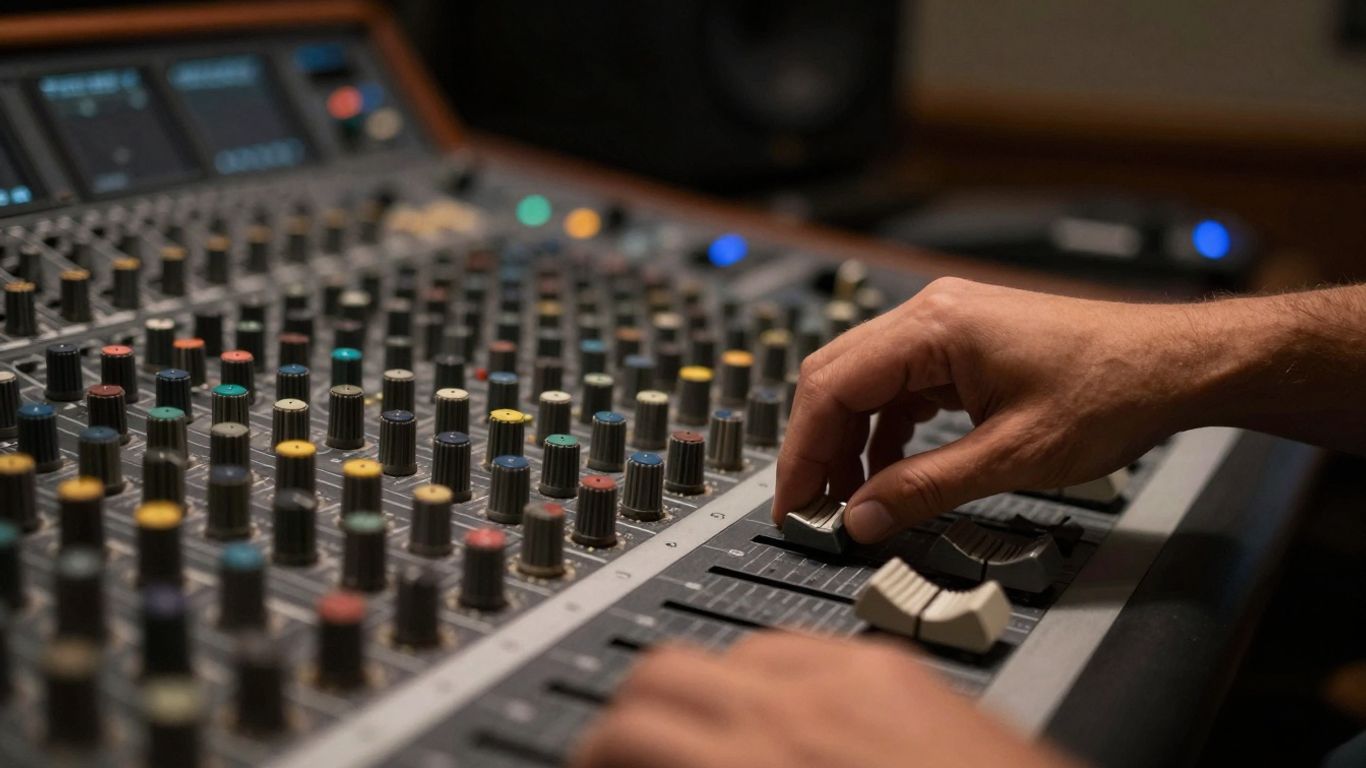
Alright, let's talk about making your vocals hit hard. Compression is your secret weapon here, the thing that stops your vocals from sounding like a quiet whisper one second and a stadium roar the next. We want that consistent presence, so the listener can actually hear what you're saying, or singing, without their ears exploding or straining to catch a mumbled line. Think of it like a bouncer for your audio signal – it keeps the loud stuff in check and gives a little boost to the quiet bits.
The Steady Hand: Achieving Consistent Vocal Presence
This is all about making sure your vocal sits right in the mix, no matter what. You don't want parts of the song where the vocal disappears or suddenly takes over. Compression smooths out those peaks and valleys. It's not about crushing the life out of it, but more about gently guiding it. A good starting point is to aim for about 3-6 dB of gain reduction on average. You'll see the meter on your compressor jumping around – that's the magic happening.
Attack and Release: The Art of Transient Control
These two settings are like the timing of your bouncer. The attack is how quickly the compressor jumps into action when a loud sound hits. A fast attack will grab those sharp transients (like 'p' or 't' sounds) right away, making them less pokey. A slower attack lets those initial hits through a bit more, keeping some of that natural punch. The release is how long the compressor stays engaged before letting go. You want this set so the compressor is ready for the next phrase or syllable, not still holding back when the singer starts a new line. If it's too fast, you can get a weird pumping sound; too slow, and it won't recover in time.
Here’s a rough guide to get you started:
| Setting | Effect |
|---|---|
| Attack | Fast: Tames transients, smoother sound |
| Slow: Preserves punch, more natural impact | |
| Release | Fast: Quick recovery, potential pumping |
| Slow: Smooth, but might lag between phrases |
Ratio Rumble: Finding the Sweet Spot for Punch
The ratio is basically how much compression you're applying. A 2:1 ratio means for every 2 dB the signal goes over the threshold, the output only increases by 1 dB. For vocals, something between 3:1 and 4:1 is usually a solid place to begin. This gives you noticeable control without making the vocal sound unnaturally squashed. You're looking for that sweet spot where the vocal feels solid and present, but still breathes.
Remember, compression isn't about making things louder; it's about making the difference between loud and quiet parts smaller. You'll typically need to turn up the 'makeup gain' after compressing to bring the overall level back up to where it was, or even a bit higher, which is where you'll hear the benefit of the smoothed-out dynamics.
Don't be afraid to experiment! Sometimes, a little bit of aggressive compression on doubles or ad-libs can add a cool texture. Just listen carefully and trust your ears to find what sounds best for your track.
The Autotune Antidote: Pitch Correction Power
Alright, let's talk about the magic wand of modern trap: pitch correction. You know, that sound that makes vocals glide and shimmer, sometimes so smooth it sounds like they're floating on air? Yeah, that's what we're getting into. It's not just about fixing bum notes anymore; it's a creative tool that's practically a signature of the genre. Think of it as your secret weapon to make those vocals pop.
Robotic Rhapsody: Embracing the Signature Sound
This is where you lean into the effect. We're talking about that classic, almost synthesized vocal sound that Future and Travis Scott have made famous. It's not about being perfectly in tune; it's about creating a distinctive texture. To get this vibe, you'll want to set your pitch correction plugin to match the key of your song. Then, crank up the 'retune speed' – the faster it is, the more pronounced that robotic effect will be. Don't be shy; this is the sound that makes trap vocals instantly recognizable. It's like giving your vocals a cool, digital makeover.
Humanize vs. Robot: Finding Your Perfect Balance
Now, not every vocal needs to sound like a robot from the future. Sometimes, you want that pitch correction to be more subtle, just cleaning up the edges without completely erasing the human element. This is where the 'humanize' or 'flex' controls come in handy. These settings help to smooth out the pitch correction, making it sound more natural and less artificial. It's all about finding that sweet spot where the vocal is perfectly in tune but still retains its emotion and character. You can even use volume automation to smooth out any dips or peaks, keeping the vocal presence consistent throughout the track. This is one of the best ways to make sure your vocals sit well in the mix.
Melodyne Mastery: Fine-Tuning Every Note
If you're feeling a bit more hands-on, or if your plugin's automatic settings aren't quite cutting it, then it's time to get into the nitty-gritty with tools like Melodyne. This is where you can literally grab each note and tweak it to perfection. You can adjust the pitch, timing, and even the vibrato of individual notes. It's a bit more time-consuming, sure, but the results can be incredibly precise. You can fix those tiny imperfections or creatively alter notes to create unique melodic phrases. It’s like having a tiny, digital surgeon for your vocals, making sure every single note is exactly where you want it. For a deeper dive into mixing vocals for trap, check out this guide on mixing trap vocals.
When you're using pitch correction, remember that it's a tool, not a crutch. The goal is to make the vocal sound better, not necessarily to make it sound completely unnatural unless that's the specific effect you're going for. Listen carefully to how the correction affects the overall tone and feel of the performance.
Adding Flavor: Saturation and Distortion Secrets
Alright, let's talk about making those vocals really pop and grab attention. We're not just talking about making them loud; we're talking about giving them some serious character. This is where saturation and distortion come in, and trust me, they're your best friends for adding that extra bit of grit and warmth.
Warmth and Grit: The Magic of Tape and Tube Saturation
Think of saturation like a warm hug for your vocals. It adds these subtle harmonics, making the voice sound richer and more present without sounding harsh. It’s like taking a perfectly good recording and giving it that vintage analog vibe. You can use plugins that mimic old tape machines or tube gear to get this effect. Start slow, though. You don't want to make your vocals sound like they're being broadcast from a tin can.
- Start with subtle settings: You're aiming for a slight thickening, not a full-on fuzz.
- Listen for harmonic richness: Does it sound fuller? Better.
- Watch out for muddiness: Too much can make things sound unclear.
This kind of saturation is great for making the main vocal line sit nicely in the mix, giving it a bit of body. It can really help bass sounds cut through on smaller speakers too, which is a common trick in trap production.
Saturation adds pleasing harmonics, making vocals sound fuller and more present. It's like adding a touch of analog warmth without going overboard. The key is subtlety; you want to enhance, not overwhelm.
Aggressive Edge: Distortion for Doubles and Ad-Libs
Now, distortion is where things get a bit wilder. While saturation is like a gentle nudge, distortion is more like a shove. This is perfect for those background vocals, doubles, or ad-libs that you want to sound really in-your-face. A little bit of distortion can make them cut through the main vocal and add a cool, aggressive texture. Think of it as adding a bit of attitude.
Here's a quick rundown:
- Doubles: Apply a touch of distortion to your doubled vocals to make them sound thicker and more distinct from the main take.
- Ad-Libs: Go a bit heavier here if you want them to really stand out and add energy.
- Effects: Experiment with distortion on vocal chops or heavily processed effects for unique textures.
The Preset Advantage: Instant Radio-Ready Tone
Look, we all love tweaking knobs, but sometimes you just need something that works, like, yesterday. Presets are your secret weapon for getting a quick, professional sound. Many plugins come with presets specifically designed for trap vocals. These are often a great starting point. You can load one up, see how it sounds, and then tweak it to fit your specific track. It's a fantastic way to learn what kinds of saturation and distortion work well together and to get a feel for that radio-ready sound without spending hours fiddling. Just remember, presets are a guide, not a rulebook. Always trust your ears!
Creating Space: Reverb and Delay Wizardry
Alright, let's talk about making your trap vocals sound like they're floating in their own perfect little universe, but not so much that they get lost in the void. We're talking about reverb and delay, the dynamic duo of vocal space.
Subtle Depth: Short Reverbs That Don't Wash Out
Look, in trap, you usually want your vocals front and center. Too much reverb is like trying to have a conversation in a giant, echoey cave – nobody hears anything clearly. But a little bit? That's gold. Think of it as giving your vocal a cozy little room to live in, not a stadium.
- Plate Reverbs: These are your go-to for a smooth, dense sound that adds body without getting muddy. They're like a warm hug for your voice.
- Room Reverbs: For a more natural, intimate feel. It's like you're singing in a small, well-treated studio space.
- Decay Time: Keep this short! We're talking milliseconds, not seconds. You want the echo to fade out quickly, leaving just a hint of space.
The goal is to add dimension, not drown the vocal.
Bounce and Width: The Power of Stereo Delays
Delays are where you can get a bit more playful. They add rhythm and width without the smearing effect that reverb can sometimes cause.
- Tempo Sync: Always sync your delays to the song's tempo. This makes them musical, not just random echoes. Eighth or quarter notes are common.
- Ping-Pong Delay: This is your secret weapon for width. It bounces the delay from left to right, making your vocal feel huge and exciting, especially in the hook. It’s like the vocal is dancing around the beat.
- Wet/Dry Balance: Just like with reverb, don't overdo it. You want the delay to complement, not compete.
Automating Atmosphere: Dynamic Delay Effects
Why have a static effect when you can make it move with the song? Automation is your friend here. You can make the delay more prominent during instrumental breaks or less noticeable during busy vocal sections.
Automating effects can make your vocals feel alive. You can have a subtle delay throughout, but then crank it up for a moment to add drama or fill a gap. It's like adding little sonic punctuation marks to your performance.
Think about automating the delay feedback or the wet level. Maybe you want a longer, more noticeable delay on the last word of a phrase, or a quick slap-back delay to add punch to a specific line. It takes a little extra time, but the results can make your vocals feel way more professional and engaging.
Layering Legends: Doubles and Ad-Libs
Alright, let's talk about making your vocals sound like a whole choir of awesome, even if it's just you! We're diving into the world of doubles and ad-libs, the secret sauce that gives trap vocals that extra punch and personality. Think of it like adding backup dancers to your main star – they make the whole performance pop!
Wider Than Wide: Panning Your Vocal Doubles
So, you've got your main vocal track, right? Now, let's make it sound bigger. The easiest way to do this is by recording a couple of extra takes of the same vocal line – these are your doubles. The trick here is panning. Don't just slap them dead center; that'll just make things muddy. Instead, pan one double slightly to the left and the other slightly to the right. This creates a nice, wide stereo image without making the vocal sound disconnected. It’s like giving your lead vocal a little stereo hug.
- Double 1: Pan hard left (e.g., 100% L)
- Double 2: Pan hard right (e.g., 100% R)
- Main Vocal: Keep centered (0% L/R)
Sometimes, just panning isn't enough. You can also mess with the pitch or add a touch of saturation to these doubles. This gives them a slightly different flavor than the main vocal, making them blend better and adding a cool, subtle texture. It’s all about creating a fuller sound without making it sound like a mess.
Ad-Lib Antics: Creating Space and Energy
Ad-libs are those little vocal flourishes, shouts, or background phrases that add energy and character. They're like the sprinkles on your sonic cupcake! These guys should usually sit a bit further back in the mix than your main vocal, but they still need to be heard. Use delays and reverbs here, but be careful not to overdo it. You want them to add excitement, not turn into a washed-out echo chamber.
- Placement: Pan ad-libs wide to create separation.
- Effects: Use different delay times or reverb types than your main vocal.
- Volume: Keep them lower than the lead vocal, but audible.
Think about where these ad-libs fit. Do they punctuate a phrase? Do they fill a gap? Placing them strategically can really lift the energy of your track. Sometimes, a quick, distorted ad-lib can cut through the mix like a knife, adding a really aggressive edge.
Contrast and Blend: Pitch Shifting and Saturation
This is where things get really fun. You've got your main vocal, your doubles, and your ad-libs. Now, how do you make them all work together without sounding like a jumbled mess? Pitch shifting and saturation are your best friends here. For doubles, a slight detune can make them sound thicker. For ad-libs, you might want to pitch them up or down to create a different character. Saturation, on the other hand, can add warmth, grit, or even a bit of distortion. Using these tools subtly can help your layered vocals blend together like a perfectly mixed smoothie. Experiment with different settings – a little goes a long way, and you don't want to make everything sound like a robot unless that's your goal!
The Final Polish: Vocal Bus and Matching
Alright, you've spent ages tweaking every little vocal bit, and now it's time for the grand finale. This is where you make sure your vocals don't just sound good on their own, but like they actually belong with the beat. Think of it like putting the perfect frame on a painting – it just makes everything pop.
Glue It Together: Bus Compression and EQ
So, you've got your lead vocal, your doubles, your ad-libs, all doing their own thing. Now, let's get them to hold hands and sing in harmony. Slap a bus on all those vocal tracks. This is your chance to make them sound like one cohesive unit. A little bit of compression here can really smooth out the dynamics across all the vocal layers. You're not trying to squash them flat, just gently nudge them into place so they feel unified. EQ on the bus is also your friend. You might want to tame some of the harshness that pops up when you combine everything, or maybe give it a little boost in the presence range so it cuts through without being obnoxious. It’s all about making them sound like a single, powerful voice.
Frequency Face-Off: Carving Space in the Instrumental
This is where things get a bit like a wrestling match, but in a good way. Your vocals need their own space to shine, and sometimes the instrumental is hogging the spotlight. You've probably already done some EQ on the vocals themselves, but now you need to look at the instrumental. Think about where your vocal sits best. Is it getting lost in the synth pad? Is the kick drum clashing with the vocal's punch? You might need to make some subtle cuts in the instrumental to make room. It’s not about making the instrumental sound bad, it’s about creating a little breathing room for your vocals. Tools like FUSER can be super helpful here, letting you sidechain elements so they duck out of the way when the vocal comes in. It’s a delicate dance, but totally worth it.
Translation Station: Checking Your Mix Everywhere
This is the part where you find out if your amazing mix actually sounds amazing outside of your studio. You've spent hours listening on your fancy monitors, but how does it sound on earbuds? Or in the car? Or on that cheap Bluetooth speaker your cousin uses? You need to check your mix on as many different systems as possible. Seriously, this step is non-negotiable. What sounds perfect in your headphones might be muddy on laptop speakers. Listen to some reference tracks you like in these different environments too, so you have a benchmark. This is where a tool like our REFERENCE plugin can be a lifesaver, letting you compare your mix directly against professional tracks on various playback systems. It’s the final reality check before you call your mix done.
After getting your vocals just right, it's time for the final touches. This section, "The Final Polish: Vocal Bus and Matching," is all about making sure your vocals blend perfectly with the beat. We'll cover how to make them sound professional and cohesive. Want to hear the difference great mixing can make? Visit our website to explore our collection of beats and hear them in action!
So, You've Nailed the Trap Vocal Mix!
Alright, you've wrestled those vocals into submission and now they're sitting pretty over that beat. Remember, mixing trap vocals isn't some dark art; it's about making your voice the star, even when the 808s are trying to steal the show. You've learned how to clean 'em up, give 'em some punch, maybe even add that signature autotune swagger, and make sure they actually sound like they belong with the music. Don't be afraid to experiment, keep listening, and trust your ears. Now go forth and make those tracks bang harder than a dropped bassline!
Frequently Asked Questions
What's the most important thing to do before I even start mixing my trap vocals?
Before you do anything else, you gotta make sure your vocal recording is super clean. Think of it like building a house – a solid foundation is key! Use a good mic in a quiet room, and try to get as close to the mic as you can without popping. Record a few takes if you need to, and pick the best parts from each to make one awesome performance. Your voice should also match the vibe of the beat, whether it's chill or high-energy.
How do I make my trap vocals sound clear and not muddy?
EQ is your best friend here! Start by cutting out the low rumble with a high-pass filter, usually around 80-100Hz. Then, listen for any 'boxy' or 'muddy' sounds in the low-mids (like 200-500Hz) and cut those out. To make your vocals pop and sound bright, give a little boost to the upper-mids (around 3-5kHz). Just be careful not to make them sound too harsh!
My 's' sounds are really sharp. How can I fix that?
Ah, the dreaded 's' sounds – that's called sibilance. You'll need a de-esser for this. It's like a special compressor that only targets those harsh 's' and 't' sounds. Put it after your EQ and tune it to catch those annoying frequencies without making your whole vocal sound dull. It'll make your vocals sound crisp instead of piercing.
What's the deal with Autotune in trap music?
Autotune is a signature sound in a lot of trap music! It's used to correct the pitch of vocals, but it can also create that cool, robotic, or super-smooth effect. Set your autotune plugin to the key of your song. For that classic hard-tuned sound, use a fast setting. You can also play with 'humanize' settings to get a balance between a natural feel and that iconic processed sound. Don't be afraid to experiment with it!
How do I make my vocals sound bigger and fuller?
Layering is a big part of trap vocals! You can record doubles of your main vocal and pan them slightly left and right. This makes the vocal sound wider without losing its center focus. You can even mess with the pitch or add some distortion to these doubles to give them a unique flavor. Also, don't forget ad-libs! These little vocal bits can add a ton of energy and excitement when you pan them wide and give them their own special effects.
How do I make sure my vocals sound good everywhere, not just on my headphones?
This is super important! After you've mixed your vocals, you gotta test them out on different sound systems – like your studio monitors, headphones, car speakers, and even your phone. This is called checking for translation. If your vocals sound clear and powerful on all those systems, then you've done a great job mixing them to fit right in with the beat.


